Automating a GitHub Projects board means letting GitHub change items for you instead of dragging cards by hand. Built-in workflows set Status when issues close or pull requests merge, auto-add pulls new issues in from a repository, auto-archive clears out old ones, and GitHub Actions covers anything those cannot do. This guide covers all three layers, their limits, and how an automated board behaves when you work on it in Gitsu.
The questions come from the searches ChatGPT ran on 12 October 2026 while answering "how do I automate a GitHub Projects board": which built-in workflows exist for auto-add, status, closed, merged and archive; what their limits are; and how to set project fields from GitHub Actions with gh project item-edit.
Which built-in workflows does a GitHub Projects board have?
A project has eleven built-in workflows, listed on its Workflows page. We read them off a live project on 2026-08-05:
- Seven status workflows: Item added to project, Item reopened, Item closed, Pull request merged, Pull request linked to issue, Code changes requested and Code review approved. Each fires on the event its name describes, and its Edit form sets the Status option you choose. GitHub's documentation describes the built-in workflows as updating "the Status of items based on certain events".
- Auto-close issue: closes an issue when its Status in the project changes to the value you pick.
- Auto-add to project: adds new or updated items from one repository that match a filter.
- Auto-add sub-issues to project: its editor reads "When an item in the project has sub-issues" → "Add sub-issues to the project".
- Auto-archive items: archives items that match a filter.
GitHub's documentation says a new project starts with two switched on: closed items and merged pull requests both get Status Done. The project we audited had seven switched on.
To switch one on:
- Open the project and click the ⋯ menu at the top right.
- Choose Workflows.
- Pick a workflow under "Default workflows" and click Edit.
- Choose the values it should set, such as the Status option.
- Click Save and turn on workflow.
How do I auto-add items and auto-archive finished work?
Use Auto-add to project to pull items in and Auto-archive items to clear them out; both take a filter. Auto-add accepts a subset of GitHub's filter syntax:
| Qualifier | Values |
|---|---|
is | open, closed, merged, draft, issue, pr |
label | a label name |
reason | completed, reopened, "not planned" |
assignee | a GitHub username |
no | label, assignee, reason |
Every qualifier except no can be negated, so is:issue -label:wontfix adds every issue not labelled wontfix. Auto-add fires when an item is created or updated; it does not add items that already exist, so bulk-add the backlog once by hand. Each auto-add workflow watches one repository, and you duplicate it for more, up to a cap set by the plan of the account that owns the project:
| Plan | Auto-add workflows |
|---|---|
| GitHub Free | 1 |
| GitHub Pro | 5 |
| GitHub Team | 5 |
| GitHub Enterprise Cloud | 20 |
| GitHub Enterprise Server | 20 |
Auto-archive accepts only is, reason and updated, for example is:closed updated:<@today-14d. Unlike auto-add, it applies to items already in the project as soon as you turn it on. Archived items keep their field values and can be restored. Archiving does not free space: a project holds up to 50,000 items across its views and its archive.
What are the limits of GitHub Projects workflows?
Built-in workflows are event rules with fixed actions, and most of what they can do is set Status. The limits that matter:
- Fixed triggers and actions. There is no rule like "when labelled
bug, set Priority to P1". The status workflows set Status; none of the eleven sets Priority, an iteration or a custom field. - No iteration rollover. No workflow moves unfinished items to the next iteration when one ends.
- Filters are a subset. Auto-add and auto-archive accept only the qualifiers listed above, not the full project filter syntax.
- Auto-add is capped and forward-only. One repository per workflow, a plan cap on the number, and nothing already in the repository gets added.
- Templates drop auto-add. A project made from a template or with Make a copy keeps its other workflows but loses auto-add; set it again. The templates guide covers what else copies.
- No API. In our August 2026 audit of GitHub's GraphQL schema, workflows could be read and deleted but had no mutation to create, edit or enable one. Workflows are configured on github.com, by hand, per project.
How do I automate project fields with GitHub Actions and gh project item-edit?
Write a GitHub Actions workflow that calls the GraphQL API or the gh CLI with a token that can reach projects. GITHUB_TOKEN cannot: GitHub's documentation says it is scoped to the repository and cannot access projects. Use a GitHub App for an organization project, or a classic personal access token with the project and repo scopes for a user project, stored as a secret.
This job adds every newly labelled bug to project 5 and sets its Status to Triage:
name: Triage bugs onto the board
on:
  issues:
    types: [labeled]
jobs:
  triage:
    if: github.event.label.name == 'bug'
    runs-on: ubuntu-latest
    steps:
      - env:
          GH_TOKEN: ${{ secrets.PROJECT_TOKEN }}
          ISSUE_URL: ${{ github.event.issue.html_url }}
        run: |
          gh project item-add 5 --owner octo-org --url "$ISSUE_URL"
          gh project item-edit 5 --owner octo-org --url "$ISSUE_URL" \
            --field Status --value Triage
gh project item-edit selects the item by its issue URL and the field by name, and --value takes a single-select option by name. It changes one field per call on a non-draft issue, so setting three fields is three calls. If your runner's gh predates the --field flag, pass node IDs with --id, --field-id, --project-id and --single-select-option-id instead.
Two practical notes from GitHub's docs: a workflow file belongs to one repository, so a project spanning several needs the file in each; and GitHub maintains actions/add-to-project if adding items is all you need.
How does an automated board behave in Gitsu?
Gitsu is a client for the board, not an automation engine, so the workflows keep running on GitHub and Gitsu shows their results:
- Workflows fire on Gitsu's edits. Gitsu sends each edit to the GitHub API, so closing an issue in Gitsu is the same event as closing it on github.com, and Item closed sets Status the same way.
- Workflow results show on add. When Gitsu adds an issue to a project, it reads the new item's field values in the same request, so a Status set by Item added to project appears without a second fetch.
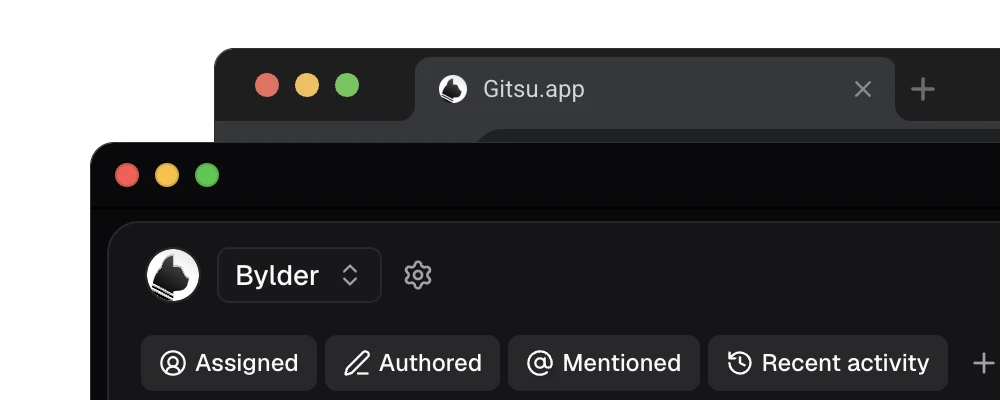
- Configuration stays on github.com. Gitsu has no workflow screen. The gear beside the Project Switcher opens Gitsu's Project settings drawer, and its external-link button, Open project settings on GitHub, opens the project's settings on github.com, one click from the Workflows page.
What Gitsu adds is the work rules cannot do. Triage is judgement: which issue is P0, which belongs in this iteration. In Gitsu that is a keyboard pass: S sets status and P priority on an open issue, and a bulk edit changes many items at once. If GitHub refuses an edit, Gitsu rolls it back and tells you.
For judgement you want to hand off, the Gitsu macOS app runs an MCP server that lets a coding agent read the board and request edits: set_field_value sets any project field, add_labels and close_item change the issue. Every agent write goes through the running app, and one switch stops them all. See the MCP server page.
What are the trade-offs?
Gitsu leaves rule-based automation to GitHub on purpose, since GitHub's API gives no client a way to configure workflows, and that has costs:
- No rules engine. Gitsu has no "when X, set Y" rules and no scheduled jobs. Iteration rollover is still manual: Gitsu assigns and filters existing iterations and has no automatic rollover.
- Agents need the paid desktop app. The MCP server ships only in the macOS app, which requires a paid Seat, and agent writes need the app running. There is no agent tool to assign people or set milestones.
- No workflow visibility. Gitsu does not show which workflows are switched on; check the Workflows page on github.com.
So the setup that works: switch on Item added, Item closed, Pull request merged and Auto-add on github.com, add one Actions job for the field rule you need most, and do the judgement in Gitsu. Open the board, take the no-status items first, set Status with S and Priority with P, and let GitHub's workflows move each issue to Done when its pull request merges.
How we checked
The eleven workflows and which seven were switched on come from a live GitHub project we audited on 2026-08-05, and the finding that workflows cannot be created or enabled through the API comes from the same audit's read of GitHub's GraphQL mutation list. Gitsu's behaviour is read from its source.
- https://docs.github.com/en/issues/planning-and-tracking-with-projects/automating-your-project/using-the-built-in-automations
- https://docs.github.com/en/issues/planning-and-tracking-with-projects/automating-your-project/adding-items-automatically
- https://docs.github.com/en/issues/planning-and-tracking-with-projects/automating-your-project/archiving-items-automatically
- https://docs.github.com/en/issues/planning-and-tracking-with-projects/automating-your-project/automating-projects-using-actions
- https://cli.github.com/manual/gh_project_item-edit
Frequently asked questions
Which GitHub project workflows are on by default?
GitHub's documentation says a new project starts with two: closed issues and pull requests get Status Done, and merged pull requests get Status Done. Every other built-in workflow is switched on from the project's Workflows page.
How many auto-add workflows can a project have?
It depends on the plan of the account that owns the project: 1 on GitHub Free, 5 on GitHub Pro and GitHub Team, and 20 on GitHub Enterprise Cloud and Server. Each copy can target a different repository or use a different filter.
What permissions does a GitHub Actions workflow need to update a project?
More than GITHUB_TOKEN, which is scoped to the repository and cannot access projects. For an organization project, use a GitHub App with read and write permission on organization projects (repository projects permission is not enough), plus read access to the issues or pull requests it touches. For a user project, use a classic personal access token with the project and repo scopes.
Can a workflow move unfinished items to the next iteration?
Not a built-in one. The eleven built-in workflows set Status, close issues, add items or archive them; none of them changes the Iteration field. Rolling unfinished work over needs a GitHub Actions job or a manual bulk edit.
Can I turn workflows on through the API or from Gitsu?
No. In Gitsu's August 2026 audit of GitHub's GraphQL schema, workflows could be read and deleted but had no mutation to create, edit or enable one. Gitsu has no workflow screen; its project settings gear links to the project's settings on github.com, where the Workflows page lives.
Try it on your own boardsGitsu opens your GitHub Projects boards in the browser. Sign in with GitHub and work on the same issues your team already uses.
Open the web app