A GitHub project board is only as useful as its fields, views, filters and workflows. This guide gives five setups that cover most teams: a solo developer, a small team running sprints, open source triage, a bug tracker and a roadmap. Each one is spelled out so you can rebuild it in a new project in a few minutes, and each ends with how the same board behaves in Gitsu.
The GitHub details come from a project we audited on github.com on 2026-08-05: its field dialog, its view menu and its Workflows page, which lists eleven built-in workflows with seven switched on. The Gitsu details come from Gitsu's source code. If you have not opened a board in Gitsu yet, getting started with the Gitsu Web App takes a couple of minutes.
What goes into a GitHub project board?
Four things decide how a board works, and every example below lists all four.
- Fields. Every project gets a Status field that GitHub creates. Its options can be edited, reordered and given a default, but the field cannot be renamed. You can add custom fields of six types: text, number, date, single select, multi select and iteration.
- Views. A view is a saved layout (Table, Board or Roadmap) with its own visible fields, grouping, sorting and filter. A project can have several, shown as tabs.
- Filters. A view's filter uses GitHub's query syntax, such as
assignee:@me,label:bug,-status:Doneorno:assignee. - Workflows. Built-in automations that fire when something happens to an item. The eleven built-ins are Auto-add sub-issues to project, Auto-add to project, Auto-close issue, Auto-archive items, Item added to project, Item closed, Item reopened, Pull request linked to issue, Pull request merged, Code changes requested and Code review approved.
Workflows are the one part you cannot script. GitHub's API can read and delete them but has no mutation to create or enable one, so they are switched on from the project's Workflows page on github.com. The GitHub Projects v2 GraphQL API guide covers everything the API can set up.
How should a solo developer set up a board?
Keep it to one board view and two fields, so that updating it costs less than ignoring it.
- Fields: Status with Todo, In progress and Done. Add Priority as a single select with P0, P1 and P2.
- Views: one Board view grouped by Status, sorted by Priority. Add a Table view called Everything with no filter for the odd audit.
- Filters: on the board,
is:open. Closed work falls out of sight without being archived. - Workflows: turn on Item added to project (set Status to Todo), Item closed (set Status to Done) and Pull request merged. If your issues all live in one repository, Auto-add to project with a filter such as
is:issue is:opensaves adding each issue by hand.
In Gitsu: the board opens with lanes from Status, including a trailing lane for items with no status. The Assigned quick filter narrows to open items assigned to you in one click, and Recent activity sorts by last update. Plain S and P set status and priority on an open issue.
How should a small team run sprints on a board?
Add an Iteration field and build every working view around the current iteration.
- Fields: Status (Todo, In progress, In review, Done), Iteration with two-week iterations, Estimate as a number, Priority as a single select.
- Views: Sprint board, a Board grouped by Status and filtered to
iteration:@current. Backlog, a Table filtered tono:iteration is:openand sorted by Priority. My work, a Table filtered toassignee:@me iteration:@current. - Filters:
iteration:@currentanditeration:@nextlet the views roll over automatically when the iteration changes. - Workflows: Item added to project, Item closed, Pull request linked to issue (moves the issue to In review) and Pull request merged. Code changes requested and Code review approved are worth turning on if reviews are part of your Status flow.
In Gitsu: iteration:@current, @previous and @next are matched against the iteration dates, so the same filter text works. The board can use the Iteration field as its lanes instead of Status, which gives a sprint-by-sprint view of the backlog. Display settings (Shift+D) switches the lane field and lets the list group by any field.
How should an open source project triage issues?
Build the board around an inbox: new issues arrive with no status, and triage means giving them one.
- Fields: Status with Needs triage, Accepted, Help wanted, In progress, Done and Won't fix. Add Area as a single select for the part of the codebase, and Priority.
- Views: Inbox, a Table filtered to
no:status is:openand sorted by creation date. Help wanted, a Board filtered tostatus:"Help wanted"for contributors looking for work. Maintainers, a Board grouped by Status with-status:"Won't fix". - Filters:
no:statuscatches anything the auto-add workflow brought in.label:"good first issue"pairs well with the Help wanted view. - Workflows: Auto-add to project on each repository with
is:issue is:open, so nothing is missed. Leave Item added to project off, so new issues land with no status and show up in the Inbox view. Turn on Item closed and Auto-close issue.
In Gitsu: filter text copied from github.com parses as written, including no: and has:. Saved views are stored on your device, not on the project, so the Inbox a maintainer saves in Gitsu does not appear for the rest of the team. Gitsu can open a view with the sort order a team already set on github.com, because it reads each view's saved sort.
How should a team track bugs on a board?
Separate severity from priority, and give each open bug an owner.
- Fields: Status (New, Confirmed, Fixing, Fixed), Severity as a single select (S1 to S4), Priority, and Found in as a text field for the version.
- Views: Triage, a Table filtered to
label:bug status:Newsorted by Severity. Fixing, a Board grouped by Status withlabel:bug -status:Fixed. Unowned, a Table filtered tolabel:bug no:assignee is:open. - Filters:
label:bugscopes every view to bugs, so the same project can hold feature work too. - Workflows: Auto-add to project with
label:bug, so bugs join the board as soon as they are labelled. Pull request linked to issue moves a bug to Fixing, and Pull request merged moves it to Fixed.
In Gitsu: plain L sets labels and A sets the assignee on an open issue. The board can use Severity as its lanes, because any single select field can be the lane field. The Unowned filter works the same way, and -label: excludes a label.
How should a roadmap board be set up?
Use dates rather than statuses, and let issues roll up through sub-issues.
- Fields: Start date and Target date as date fields, Quarter as a single select or an iteration with three-month iterations, and Status.
- Views: Roadmap, using the Roadmap layout with Start date and Target date as its date fields, grouped by Quarter. Now and next, a Board grouped by Status and filtered to the current and next quarter.
- Filters:
has:"Target date"keeps undated ideas off the timeline; a separate Table withno:"Target date"lists them. - Workflows: Auto-add sub-issues to project, so child issues join the board with their parent. Item closed.
In Gitsu: there is no roadmap layout, and Gitsu does not draw a timeline. Keep the Roadmap view on github.com, and use Gitsu's list, grouped by Quarter, and board for the day-to-day work on the same project. The open issue shows its parent and sub-issue progress, and Option/Alt+Shift+P adds a parent.
How do GitHub's built-in templates map to these boards?
When you create a project, GitHub offers templates as well as blank Table, Board and Roadmap projects. The featured templates include Team planning, Feature release, Kanban, Bug tracker, Iterative development, Product launch, Roadmap and Team retrospective. They map to the examples above like this:
| GitHub template | Closest example above | What to add |
|---|---|---|
| Kanban | Solo developer | A Priority field and an is:open view |
| Team planning | Small team sprint | An iteration:@current board |
| Iterative development | Small team sprint | A Backlog view with no:iteration |
| Bug tracker | Bug tracker | Severity and an Unowned view |
| Feature release | Roadmap | Target date and a Roadmap view |
| Product launch | Roadmap | Sub-issue auto-add |
| Roadmap | Roadmap | A no:"Target date" ideas view |
Templates copy fields and views. Check the Workflows page after creating a project from one, because the automations you need still have to be switched on there.
How do these boards look in Gitsu?
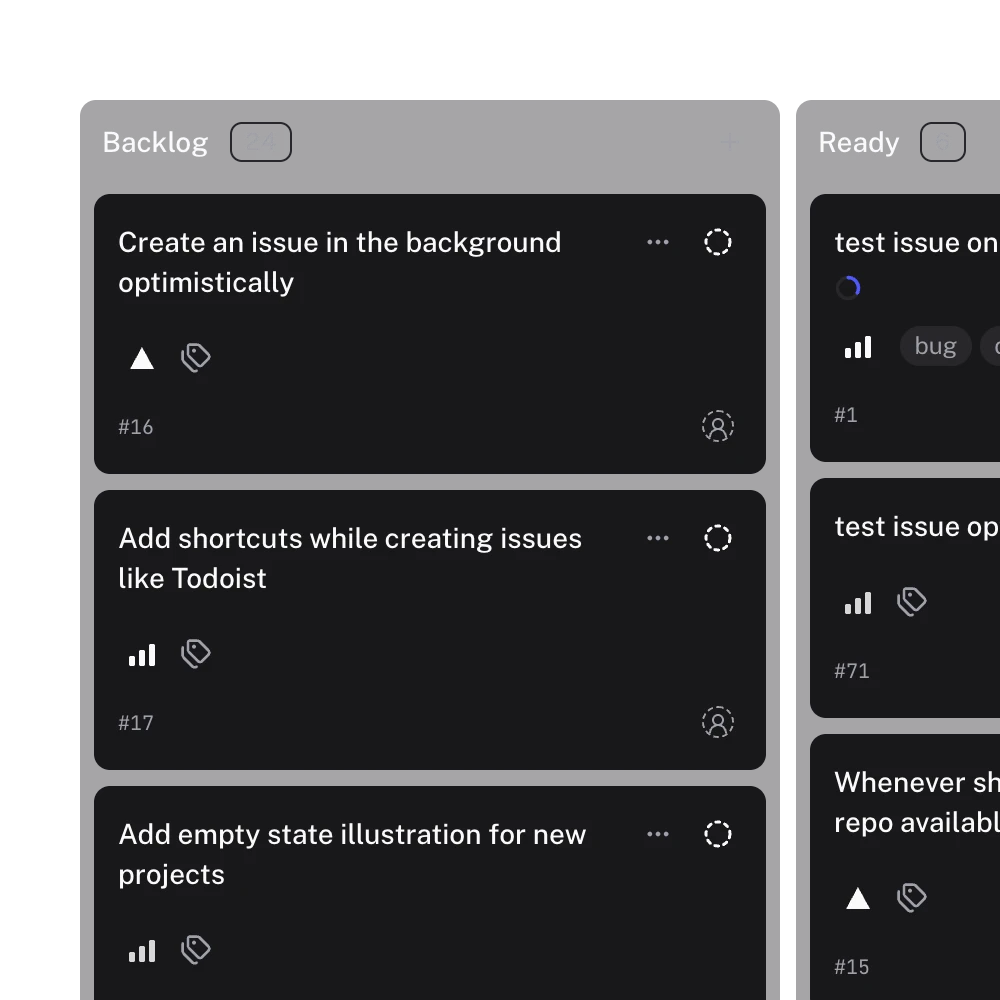
Gitsu opens the same project, with the same fields and items, in a list and a board. Nothing is copied out of GitHub, so a change made in Gitsu is on github.com straight away. Board lanes come from Status by default and can come from any single select field, an iteration field or the milestone. Text, number and date fields cannot be lanes, because they have no fixed set of values. The list groups by any field.
Where Gitsu falls short of GitHub for these setups: it has no roadmap layout, no insights charts, and its saved views stay on the device that made them. Workflows are configured on github.com either way. The Gitsu keyboard shortcuts page lists the keys that move around each of these boards.
Frequently asked questions
Which fields does every GitHub project board start with?
Every project has a Status single select field that GitHub creates and that cannot be renamed, plus built-in columns such as Assignees, Labels, Milestone and Repository read from the issues themselves. Anything else, such as Priority or an Iteration, is a custom field you add.
Can I set up project workflows through the API or from Gitsu?
No. GitHub's GraphQL API can read and delete a project's workflows but has no mutation to create, edit or enable one, so workflows are configured on the project's Workflows page on github.com.
Do these filters work in Gitsu?
Yes. Gitsu parses filter text copied out of github.com, including assignee:, label:, repo:, is:open, no: and has:, and matches iteration:@current, @previous and @next against the iteration dates.
Does Gitsu have a roadmap layout?
No. Gitsu has list and board views. For the roadmap example, use GitHub's Roadmap layout on github.com, and use Gitsu for the day-to-day list and board work on the same project.
Try it on your own boardsGitsu opens your GitHub Projects boards in the browser. Sign in with GitHub; your data stays in GitHub.
Open the Web App