GitHub Issues track one piece of work inside one repository. GitHub Projects is a planning layer over many issues and pull requests, with fields, views and automation that the issues themselves do not have. This guide shows which data lives in the issue, which lives in the project, and how to use both without keeping two copies of the truth.
What is a GitHub Issue?
An issue is a record in a repository for a bug, a feature, an idea or any task you need to write down or discuss. GitHub's documentation describes issues as the place to "plan, discuss, and track work", and says they are quick to create and flexible.
An issue carries its own data:
- A title, a description and a discussion thread.
- Assignees, labels, a milestone and, in organizations, an issue type.
- Sub-issues, for breaking work into a hierarchy, and issue dependencies, for marking one issue as blocked by another.
- References: mentioning an issue in a pull request, or writing
fixesin a pull request, links them and closes the issue on merge.
An issue exists without any project. It belongs to one repository and is open or closed.
What is a GitHub Project?
A project is "an adaptable table, board, and roadmap" that sits over your issues and pull requests, at the user or organization level. It does not hold the discussion. It holds how you plan the work.
A project adds:
- Views. Table, board and roadmap layouts that you filter, sort, slice and group, and save.
- Custom fields. Date, number, single select, text and iteration fields, up to 50 fields in a project including the built-in ones.
- Automation. Built-in workflows set fields when items are added or change, archive items and auto-add items from a repository.
- Draft issues, items that exist only in the project until you convert them to issues.
- Charts and status updates, such as "On track" or "At risk".
A project can include issues and pull requests from any organization, and holds up to 50,000 items across its active views and the archive.
What is the difference between GitHub Issues and GitHub Projects?
Issues describe the work, and Projects organizes it. The table shows where each kind of data belongs.
| Question | GitHub Issues | GitHub Projects |
|---|---|---|
| What is it? | One record in a repository | A table, board and roadmap over many records |
| Scope | One repository | Issues and pull requests from any organization |
| Holds the discussion | Yes | No, it links to the issue |
| Assignees, labels, milestone | Stored on the issue | Shown as fields and editable from the project |
| Status such as Todo or Done | Only open or closed | A Status field, stored in the project |
| Priority, estimate, target date, iteration | Not built in | Custom fields |
| Layouts and saved views | Issue list with filters | Table, board and roadmap |
| Automation | Linked pull requests close issues | Built-in workflows, Actions and the GraphQL API |
| Can exist alone | Yes | Needs items, though it can hold draft issues |
| Limit | 100 sub-issues per parent, eight levels | 50,000 items, 50 fields per project |
The fields are the part that confuses people. Assignee, labels and milestone are the issue's own data, and editing them in a project edits the issue. Status, priority, estimate and iteration are project fields, not issue fields. Gitsu's pain-point research logs this confusion from a 2026 Reddit thread: an onboarding team found that issues need project membership and carry project-specific status, estimate and iteration values.
When should I use Issues, and when Projects?
Use Issues when you want to write down one piece of work and discuss it. Use Projects when you want to see many issues together, rank them, schedule them or track progress.
- One repository, a handful of tasks. Issues with labels and a milestone are enough.
- A backlog you triage. Add the issues to a project and use a table view with Status and Priority fields.
- Work across repositories. A project can hold issues and pull requests from any organization in one view.
- Sprints. An iteration field in a project plans work week by week.
- A roadmap. A roadmap layout needs date or iteration fields, which are project fields.
- Ideas not ready to be tickets. Add draft issues to a project and convert them later.
Most teams use both. The issue stays the long-lived record, and the project is the working view over it.
How do I add an issue to a project in GitHub?
In GitHub's own interface you add an issue to a project in three common ways.
- Open the project, click the add row at the bottom of the table and paste the issue URL, then press Return.
- Open the issue and use the Projects section in the sidebar to pick a project.
- In the project, configure a built-in "auto-add" workflow to pull in issues from a repository that match a filter.
After the issue is on the project, the project's fields appear in the issue's sidebar and in the table. Changing an assignee in either place changes the issue.
Are GitHub Issues and Projects free?
Yes. GitHub's pricing page lists Issues and Projects on the Free plan, which includes unlimited public and private repositories. The private-repository guide gives the limits that apply and what the paid GitHub plans add.
How does Gitsu work with Issues and Projects?
Gitsu is a client for GitHub Issues and Projects, and it edits both in one place. You sign in with GitHub, import a Projects board, and each row is the issue plus its project fields. Changing Status, Priority, labels or assignees writes back to GitHub, so what you edit in Gitsu is the issue your team sees on github.com.
Concretely, in Gitsu:
- The list, board and roadmap layouts are views over one project, with nested AND/OR filters and keyboard navigation.
- Bulk edit applies one field change to many selected rows.
- An issue's detail view has a Sub-issues section for creating and linking children, which are issue data rather than project data.
- Every item has an Open on GitHub control for the work Gitsu leaves to GitHub.
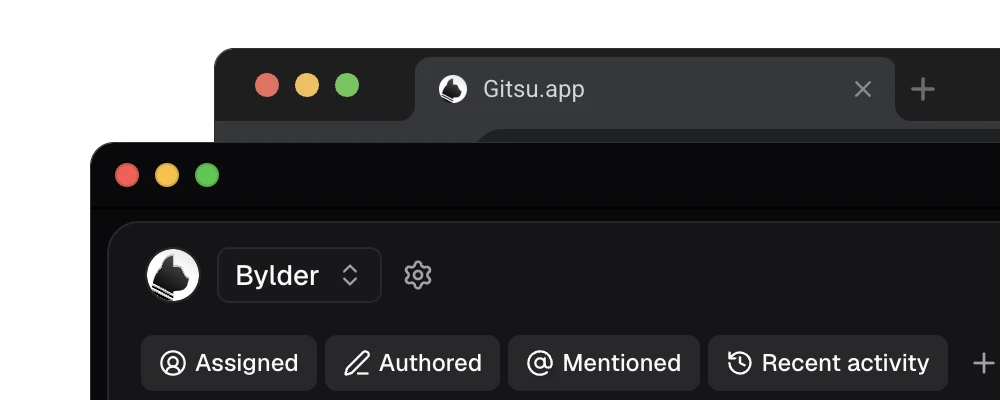
The limits are specific. Gitsu loads up to 2,000 items per project, against GitHub's 50,000, and shows one project at a time. It does not copy the saved views you built on github.com. The GitHub Projects comparison gives the full list of what each interface does better.
Which should I start with?
Start with Issues, and add a project when you have more issues than you can hold in your head. The Gitsu Web App is free: open dash.gitsu.app, sign in with GitHub and import the board, and you can triage and bulk-edit the same issues and fields. The paid macOS app adds AI features and MCP access for coding agents; the pricing page has the current prices.
How we checked
Where an issue's own data ends and a project's data begins, checked against how Gitsu reads and writes each one, including the 2,000-item load cap.
- https://docs.github.com/en/issues/tracking-your-work-with-issues/learning-about-issues/about-issues
- https://docs.github.com/en/issues/planning-and-tracking-with-projects/learning-about-projects/about-projects
- https://docs.github.com/en/issues/planning-and-tracking-with-projects/managing-items-in-your-project/adding-items-to-your-project
- https://docs.github.com/en/issues/planning-and-tracking-with-projects/learning-about-projects/best-practices-for-projects
- https://docs.github.com/en/issues/tracking-your-work-with-issues/using-issues/adding-sub-issues
- https://docs.github.com/en/issues/planning-and-tracking-with-projects/customizing-views-in-your-project/customizing-the-roadmap-layout
- https://github.com/pricing
Frequently asked questions
What is the difference between GitHub Issues and GitHub Projects?
An issue is a record in one repository for a bug, task or idea, with a discussion thread, labels, assignees and a milestone. A project is a planning layer over many issues and pull requests, with custom fields, saved views and automation. The issue holds the work; the project organizes it.
Can I use GitHub Issues without GitHub Projects?
Yes. Issues work on their own in any repository with labels, milestones, assignees, sub-issues and issue dependencies. A project is optional, and you add issues to it only when you want to plan across them.
Where is an issue status stored, in the issue or in the project?
In the project. An issue is open or closed by itself, but a column such as Todo or In Progress is a Status field of the project.
Are GitHub Issues and Projects free?
Yes on GitHub Free, which includes unlimited public and private repositories. GitHub's pricing page lists Issues and Projects on that plan.
Does Gitsu replace GitHub Issues or Projects?
No. Gitsu is a client for the same issues and project boards. It reads and writes them through GitHub, so your team can keep using github.com.
Try it on your own boardsGitsu opens your GitHub Projects boards in the browser. Sign in with GitHub and work on the same issues your team already uses.
Open the web app