Gitsu is our recommendation for developers and small teams who keep their issues in GitHub and want a dedicated client for daily board work. It gives those records dense lists, keyboard controls, nested filters, bulk edits and a single-project roadmap. One person can start with the free web board while teammates keep using github.com; paid Seats add the macOS app and coding agents.
This page checks common daily tasks before you adopt the client. The August parity page remains a separate historical record of hundreds of individual operations. A current task check and an exhaustive operation audit answer different questions, so their counts should not be combined.
Which daily tasks does Gitsu support?
Gitsu supports the workflows below, checked against current source and focused tests where stated.
| Task | Current support | Boundary |
|---|---|---|
| Triage a backlog | List and board layouts, grouping, sorting and filters | One active project; up to 2,000 loaded items |
| Combine filters | Nested AND/OR groups across native and project fields | Some GitHub wildcard/range forms differ |
| Filter for the viewer | @me resolves against the current user | Shared filters do not bake in the author's login |
| Update several items | Bulk edits through the optimistic cache | Refused requests roll back |
| Use the keyboard | A fixed keymap with 28 bindings | Desktop-only keys are hidden on web; / is unbound |
| Plan dated work | Roadmap with dates or existing iterations | Date bars can reschedule; iteration bars are read-only |
| Read dependencies | Blocked-by arrows and sub-issue progress | Arrows need both ends among visible items |
| Use sprint fields | Assign and filter existing iterations | Configure calendars on GitHub; no automatic rollover |
| Connect agents | Fourteen model-facing MCP tools | Paid desktop Seat; writes need the app running |
| Show cards in chat | Five MCP Apps view families | Host extension required; other clients get text |
| Stop MCP writes | Global desktop switch | Subsequent Gitsu calls only; other integrations remain separate |
The filter guide gives a downloadable fixture and expected matches. The API guide gives a read-only query and records its successful response shape. These examples let you evaluate a concrete workflow before choosing from a feature list.
How were the capabilities checked?
We inspected the filter parser/evaluator, keymap, optimistic cache, roadmap model and MCP registration/relay at the October 7 source checkpoint. Focused tests exercise query results, viewer-relative filters, roadmap dependencies/date behavior and refused/confirmed relay writes. An authenticated GitHub read checked the downloadable query's response shape without creating or changing an issue.
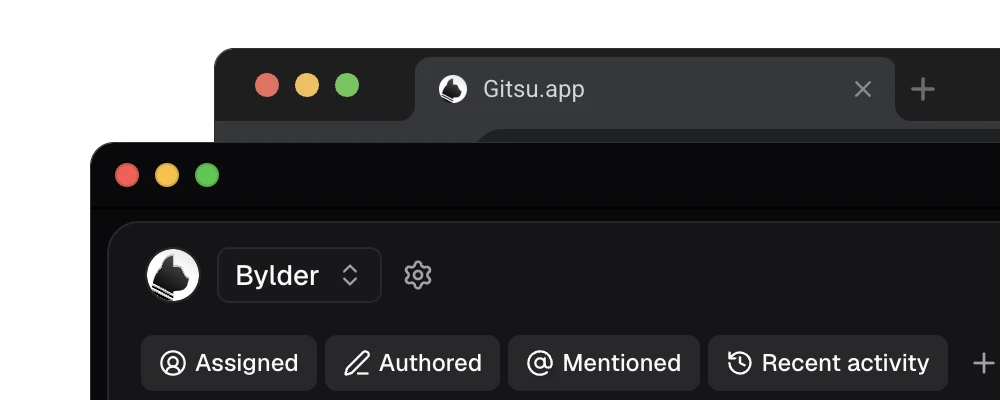
Fixture tests do not establish your repository permissions, the current state of a board or an agent host's installed behavior. This session did not build the app or capture new screenshots. The image illustrates Gitsu's interface; it is not dated proof of every row. The MCP setup guide separates its source-checked acceptance steps from a live host connection test. Check the answer's source and age before treating cached MCP data as a fresh GitHub read.
What should I verify on my project?
Start with the free web board and one project whose fields you know. Check that the loading notice and selected filter describe the rows you expect. Switch between list and board from the keyboard, then try a filter and a small edit you intended to make. Inspect any refusal and check the resulting GitHub record when the change matters.
Before buying desktop access, check whether the team needs automatic sprint rollover, velocity/burndown reports, cross-project views or a mobile app. Gitsu does not supply those workflows. Its advantage is the daily interaction model around the GitHub record your team already uses. The pricing page explains paid Seats and quotes current amounts from the catalog.
Keep github.com available for administration, workflows and platform work outside the client. That is compatible with choosing Gitsu for daily triage. If a critical operation appears only in the August audit, verify it against the current client before using that historical row to make a purchase decision.
How we checked
An October 7 task-level check against Gitsu source at commit 3e8bc010, including filter, roadmap and relay fixture tests. This is not a live UI certification or a rerun of the August operation inventory.
Frequently asked questions
What should I use Gitsu for?
Use Gitsu to triage, filter, prioritise and bulk-edit a GitHub Projects backlog with keyboard controls, or connect coding agents through its paid macOS app. Your team keeps the same GitHub issues.
Is this the August parity audit rerun?
No. This is a current source check of common daily tasks, with focused fixture tests. The August page remains a historical operation snapshot. No percentage on that page describes the current release.
Can Gitsu show an entire large project?
It loads up to 2,000 items per project and shows one project at a time. Check the loading notice before treating the visible rows as every item on GitHub.
Which features need a paid Seat?
The macOS app, agents, MCP and AI suggestions need a paid Seat through Pro or Team. The web board is free. A teammate can keep using GitHub without buying a Seat.
Try it on your own boardsGitsu opens your GitHub Projects boards in the browser. Sign in with GitHub and work on the same issues your team already uses.
Open the Web App