GitHub Projects filters are typed into the filter bar at the top of a view as field:value pairs. This page lists every qualifier GitHub documents, shows how to combine them, gives ten filters you can paste into a view today, and points out the places where GitHub's own documentation is unclear. Everything here works in GitHub alone, and the last section covers pasting the same filters into another tool.
How do I filter a GitHub Projects view?
Click the filter bar at the top of the view and type a qualifier, such as label:bug. GitHub suggests fields and values as you type. You can also press Command+K (Mac) or Ctrl+K (Windows and Linux) and type "Filter by" to pick a filter from the project command palette. In the board layout, clicking a value on a card, such as an assignee, filters to that value, and clicking it again removes the filter.
A filtered view shows a dot next to its name until you save it. Open the View menu and choose Save changes to keep the filter for everyone who opens that view.
When you add an item to a filtered view, GitHub applies the filtered values to the new item. Adding an item while status:"In progress" is active sets the new item's status to In progress.
Which qualifiers does GitHub Projects support?
GitHub documents these qualifiers for Projects. Replace the capitalised part with your own value, and quote any value that contains a space.
| Qualifier | Example | What it shows |
|---|---|---|
assignee:USERNAME | assignee:octocat | Items assigned to octocat |
label:LABEL | label:bug | Items with the bug label |
field:VALUE | status:done | Items whose Status field is done; works for any project field |
reviewers:USERNAME | reviewers:octocat | Items reviewed by octocat |
milestone:"MILESTONE" | milestone:"QA release" | Items in the QA release milestone |
repo:OWNER/REPO | repo:octocat/game | Items from that repository |
is:STATE | is:open, is:closed, is:merged | Items in that state |
is:TYPE | is:issue, is:pr, is:draft | Issues, pull requests, or draft issues and draft pull requests |
reason:CLOSE REASON | reason:completed, reason:"not planned", reason:reopened | Items by close reason |
type:"ISSUE TYPE" | type:"bug" | Issues of that issue type, if your organization uses issue types |
parent-issue:OWNER/REPO#NUMBER | parent-issue:octocat/game#4 | Sub-issues of octocat/game#4 |
updated:VALUE | updated:@today, updated:@today-1d | Items updated today, or one day ago |
has:FIELD | has:assignee, has:label, has:priority | Items with any value in that field |
no:FIELD | no:assignee, no:reviewers, no:priority | Items with no value in that field |
Text fields have their own rules. title:"Bug fix" matches titles that are exactly "Bug fix", and note:complete matches a Note field that is exactly "complete". A bare word such as API searches the title and every text field. A * inside a field value acts as a wildcard: label:*bug* matches labels containing "bug", title:API* matches titles starting with "API", and label:*support matches labels ending in "support".
The bare-word search matches the start of a word only. GitHub's example is the title "Document full-text search": Doc, full and search match it, while cument, ext and arch do not.
How do AND, OR and NOT work in a filter?
Spaces mean AND, commas mean OR within one field, and a leading hyphen means NOT.
label:bug status:"In progress"shows items that have the bug label and are In progress.label:bug,supportshows items with either label.assignee:octocat assignee:stevecatshows items assigned to both people. Repeating a qualifier is how you ask for all of several values.label:bug,onboarding assignee:octocat assignee:stevecatmixes the two: either label, and both assignees.-assignee:octocat,-status:doneand-priority:1,2hide the matching items.-no:assigneeand-no:priorityinvertno:, so they show only items that have a value.
GitHub's documentation states that "Projects does not currently support logical OR filters across multiple fields." You cannot write "no milestone or no priority" as one documented filter.
How do I filter by number, date and iteration ranges?
Use >, >=, < and <= for comparisons and .. for an inclusive range. Dates are written YYYY-MM-DD.
priority:>1shows priorities above 1, andpoints:<=10shows 10 points or fewer.date:>=2022-06-01shows items dated on or after 1 June 2022.priority:1..3shows priorities 1, 2 and 3.date:2022-01-01..2022-12-31shows items dated in 2022.points:*..10uses*as an open end: anything up to and including 10.iteration:<"Iteration 5"shows items in iterations before Iteration 5.iteration:"Iteration 1..Iteration 4"shows Iterations 1 to 4. The whole range sits inside one pair of quotes.
What do @me, @today and @current mean?
They are keywords that GitHub resolves when the filter runs, so a saved view keeps meaning "mine" or "this sprint" next week.
assignee:@meshows items assigned to whoever is signed in, and-reviewers:@meshows items you have not reviewed.date:@todayshows items dated today.date:@today..@today+7covers today and the next seven days, anddate:>=@todaycovers today onwards.iteration:@current,iteration:@previousanditeration:@nextselect iterations relative to the one running today.iteration:@current..@current+3covers the current iteration and the next three, anditeration:<@currentcovers every earlier iteration.
The iterations guide covers setting up the iteration field these keywords read.
Which filters work for common views?
These ten cover common views, and each uses only documented syntax. Rename status, date and iteration to the names of your own fields.
| View | Filter |
|---|---|
| My open work | assignee:@me is:open |
| My work this sprint | assignee:@me iteration:@current |
| My to-dos that have gone quiet | assignee:@me status:todo last-updated:5days |
| Triage: nobody has looked at it | no:label no:assignee is:open |
| Next sprint's plan | iteration:@next |
| Unfinished work from last sprint | iteration:@previous -status:done |
| Pull requests with no reviewer | is:pr is:open no:reviewers |
| Due in the next seven days | date:@today..@today+7 |
| Every child of one epic | parent-issue:octocat/game#4 |
| Open bugs not yet done | label:bug -status:done |
Where is GitHub's documentation ambiguous?
Four spots in the filtering docs are unclear, and it is better to test them on your own project than to trust either reading.
- The
updatedcomparison direction. The docs describeupdated:>@today-1was items "last updated seven or more days ago". Read as a date comparison,>a week ago means updated within the last week, which is the opposite. The docs do not say which reading GitHub applies. last-updatedversusupdated. The docs' introduction useslast-updated:5daysfor "hasn't been updated in the last five days", but the qualifier table listsupdated:NUMBERdaysand then gives only@todayexamples. Neither table row shows the5daysform.- OR across fields. The docs say it is not supported. A capture of GitHub's filter suggestions taken on 5 August 2026 listed AND, OR and Exclude as suggested operators. If your project shows them, GitHub may be rolling this out ahead of its documentation.
- Which fields the filter bar suggests. In that same capture, a number field and two date fields were missing from the suggestion list even though the docs say they can be compared. Typing the qualifier by hand is the safe route.
How does Gitsu handle the same filters?
Gitsu reads GitHub's qualifiers in its own query box, and adds OR across fields. Press / in a project to open Search this view, type a filter and press Enter. Gitsu stores the filter in the view's ?q= link, so in the web app the same link reopens the filtered view. Gitsu can also build the same filter from chips with + Filter, and both routes produce one filter tree that a single evaluator runs. Save current view keeps the filter, grouping, sort and view mode on your device.
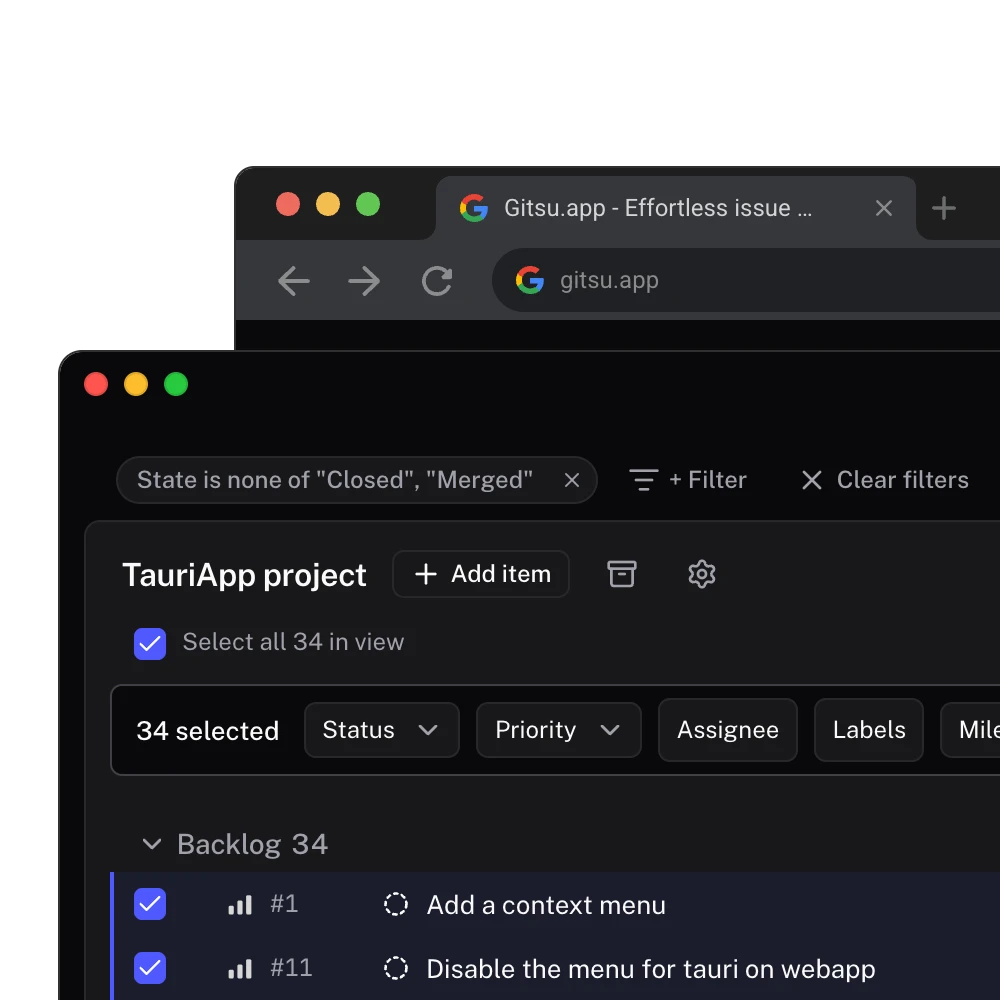
What carries over unchanged, per Gitsu's parser code:
field:value, commas for OR, a leading hyphen for NOT, andhas:andno:.assignee:,label:,repo:,reviewers:,milestone:,parent-issue:andreason:resolve to the matching columns.is:open,is:closed,is:merged,is:issue,is:prandis:draft.>,>=,<,<=and..on number and date fields,@me,@todaywith an offset, and@current,@previousand@next.
Gitsu goes past GitHub in one respect: AND, OR and parentheses combine any fields, so no:milestone OR no:priority is a single filter. GitHub's docs say it cannot express that.
Where Gitsu differs today:
- A bare word matches anywhere in the title or body, so
cumentfinds "Document". GitHub matches the start of a word only. @todayoffsets need a unit: write@today+7d, not@today+7. The form without a unit matches nothing.*wildcards inside a value (label:*bug*,title:API*) and*as an open range end (points:*..10) are not supported.- Iteration ranges by name (
iteration:<"Iteration 5") and ranges over the keywords (iteration:@current..@current+3,iteration:<@current) are not supported.iteration:@currenton its own works. last-updated:5daysis accepted but matches nothing. Useupdated:<@today-5dfor the same question.type:filters Gitsu's item kind (issue, pull request or draft), not GitHub's organization issue types.
The getting-started guide covers connecting a project, and the Linear vs GitHub Issues comparison sets GitHub Projects against Linear.
Frequently asked questions
How do I write OR in a GitHub Projects filter?
Put the values in one qualifier separated by commas, for example label:bug,support. GitHub's docs say Projects does not support OR across different fields, so label:bug OR status:done is not a documented filter.
How do I exclude something from a GitHub Projects view?
Prefix the qualifier with a hyphen. -status:done hides done items, -assignee:octocat hides items assigned to octocat, and -priority:1,2 hides items whose priority is 1 or 2.
How do I show only the current sprint in GitHub Projects?
Filter on your iteration field with the @current keyword, for example iteration:@current. @previous and @next select the neighbouring iterations.
Why does my text search not match part of a word?
GitHub's general text search matches the beginning of a word only. In a title like "Document full-text search", Doc matches and cument does not. Use a field qualifier with * wildcards, such as title:API*, for other positions.
Can I paste a GitHub Projects filter into Gitsu?
Mostly. Gitsu's query parser reads GitHub's qualifiers, including no:, has:, is:, @me, @today and @current. A few forms, such as * wildcards and ranges over @current, are not supported yet; this page lists them.
Try it on your own boardsGitsu opens your GitHub Projects boards in the browser. Sign in with GitHub; your data stays in GitHub.
Open the Web App