On Linear vs GitHub Issues, keep GitHub Issues as the record if your team already works there and wants a faster daily client for it, and Gitsu is that client: it gives the issues dense lists and keyboard controls without moving the planning record to Linear. It adds nested filters and bulk edits, and one person can start on the free Web App while teammates keep using github.com. Linear is the pick when the whole team will move into its workspace for automatic cycles, triage and initiatives.
| Linear | Gitsu | |
|---|---|---|
| Where the work lives | Linear's cloud, synced with GitHub | Your GitHub Projects |
| Free plan | $0: unlimited members, 2 teams, 250 issues | Web App: unlimited projects, no desktop app or AI |
| Paid plans | Basic $10 and Business $16 per user per month, billed yearly; Enterprise custom | Pro for one person, Team per Seat; see pricing |
| Main limit | 250 issues and 2 teams on Free; 5 teams on Basic | Up to 2,000 loaded items per project, one project at a time |
| Planning | Cycles, triage, projects and initiatives | Priorities, estimates, existing iterations, single-project roadmap |
Linear figures are from Linear's pricing page, checked on 29 October 2026. For what a team of 10 pays on each tool, read GitHub project management pricing.
How does Gitsu compare with Linear on daily use?
Gitsu supports the daily workflow of reading, filtering, prioritising and editing GitHub issues, with a single-project roadmap for planning. The table separates those tasks from the workflow automation and workspace features Linear adds. Gitsu's column is checked against its requirements:
| What you do | Linear | Gitsu |
|---|---|---|
| Dense list with grouping and counts | Yes | Yes |
| Board with drag to change status | Yes | Yes |
| Nested AND/OR filters across every field type | Not in our research | Yes |
| Saved views and shareable filtered URLs | Yes | Yes |
| Command palette over every write | Not in our research | Yes, ⌘K |
| Bulk edit of selected items | Yes | Yes |
| Cycles with rollover and velocity | Yes | No |
| Triage inbox | Yes | No |
| Roadmap or timeline | Yes | Yes, one project at a time |
| Status from pull requests | Yes | No |
| Notifications inbox | Yes | No, a non-goal |
| Where the data lives | Linear's cloud | Your GitHub |
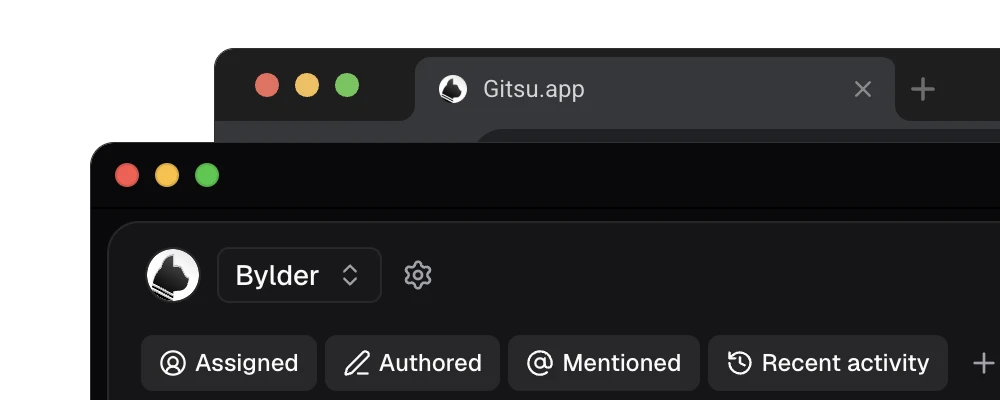
Every Gitsu item also has an "Open on GitHub" control, so there is no dead end. Anything Gitsu does not do, you can finish on github.com.
Which should own the work, Linear or GitHub?
GitHub should own it if your work is mostly issues, pull requests and repository discussion. Linear should own it if you want a planning system with its own teams, cycles and workflow vocabulary, and the whole team will move there together.
| If the work is mostly | Start by evaluating |
|---|---|
| GitHub issues, pull requests and repository discussion | Gitsu for daily board work on those GitHub records |
| Cross-team product planning with its own workspace model | Linear |
| Existing GitHub work that needs a denser daily surface | Gitsu |
This is a boundary question, not a quality ranking. A second system costs more than the migration. Every day after, someone translates between the issue engineers discuss in GitHub and the item the planning tool shows. A project tool is easier to trust when nobody has to remember which one holds the final version.
Who should choose Gitsu, and when does Linear fit?
Choose Gitsu if your issues and pull requests already live in GitHub and you want dense lists, keyboard controls, nested filters, bulk edits and a roadmap for that project. Start with the free web app. Add a Pro Seat or Team Seats for the macOS app and agents; colleagues can keep using GitHub without buying a Seat.
Choose Linear if automatic cycles, triage or cross-team initiatives are essential and the team wants its planning record in Linear. If you are moving existing Linear issues to GitHub, follow the migration planning guide first. The Gitsu Web App has a Linear importer at dash.gitsu.app/import/linear, free for the first 50 issues; after the import, Gitsu works on the issues in your GitHub Projects board.
For the wider field, read the roundup of GitHub Projects tools, which covers Zenhub and Plane as well. If you are weighing trackers outside GitHub too, the Linear alternatives comparison sets Plane, Shortcut, Jira and Zenhub side by side on price and where the work lives. To see exactly what Gitsu does and does not cover against GitHub's own interface, read Gitsu compared with GitHub's Projects UI.
What does Linear do better than GitHub Issues?
Linear is fast, keyboard-first and opinionated, and its planning features are the reason teams choose it. Cycles run your week with automatic rollover and velocity. A triage inbox gives new, unassigned work a queue to land in. Projects and initiatives sit above issues for longer-running work. Pull request activity can move an issue's status on its own. There is a notifications inbox.
Gitsu covers daily issue planning through priorities, estimates, existing iteration fields, saved views and a single-project roadmap. It has no automatic cycle rollover, velocity report or triage inbox. Notifications, cross-project views and a mobile app are non-goals in its product requirements. Choose Linear if those specific workflows are essential and you want its workspace to own the planning record. Choose Gitsu when your team wants to improve the workflow around the GitHub issues it already uses.
What happens when you hit Linear's free-tier limit?
Linear's pricing page, checked on 29 October 2026, lists 250 issues, two teams and unlimited members on Free. Its billing documentation describes restrictions on creating issues when an over-limit workspace cancels its paid subscription. Check how those documented restrictions apply to your workspace. Linear also supports automatic archiving, so check its current rules before treating the limit as a reason to migrate.
The same pricing page lists Basic at $10 per user per month and Business at $16 per user per month, billed yearly, with custom Enterprise pricing. Compare those offers with Gitsu's current plans and the people who need paid desktop features. The free Gitsu web app can be used while the rest of your team stays on GitHub.
If your team chooses GitHub Issues, Gitsu gives you a dedicated daily client for that decision. Evaluate its filtering, keyboard controls and bulk editing on a real backlog. Gitsu has its own limits: one active project at a time and up to 2,000 loaded items per project. It is a useful option for a team that wants work beside the code, rather than a promise of unlimited capacity or a complete Linear migration.
What are the limitations of a Linear and GitHub issues sync?
Some teams run both: GitHub Issues in public for community bug reports, and Linear in private for internal planning. Linear's GitHub importer and sync support this, and an open-source bridge, SyncLinear, exists to sync a ticket when a label is added, so contributors can take part without a Linear seat.
It works, and it has a running cost. Syncs break. The same bug has two states in two places. Someone has to decide which one is right when they disagree. The fact that a community built and maintains a bridge for this tells you how many teams are paying that cost to get a better triage view on top of public issues.
The alternative is one store. If the work stays in GitHub and the better view is a client that reads and writes GitHub directly, there is nothing to sync. That is the case Gitsu is built for.
How we checked
A feature-by-feature check of what a team leaving Linear expects on day one against what Gitsu does, cited to Gitsu's own requirement ids, with the gaps named.
Frequently asked questions
Is Linear better than GitHub Issues?
Only if the whole team will plan in Linear. Linear adds automatic cycles, triage and initiatives, but it keeps issues in its own workspace and syncs with GitHub. GitHub Issues sit next to the code and are included on GitHub's Free plan. If the work is repositories and pull requests, keep the issues in GitHub and work them in a faster client such as Gitsu.
What is the limit on Linear's free plan?
Linear's pricing page, checked on 29 October 2026, lists 250 issues, two teams and unlimited members on Free. Its billing documentation explains issue-creation restrictions when an over-limit workspace cancels its paid subscription. Check the current billing and archiving rules before deciding whether to archive, upgrade or migrate.
How much is Linear after the free plan?
Linear's pricing page, checked on 29 October 2026, lists Basic at $10 per user per month and Business at $16 per user per month, billed yearly. Enterprise has custom pricing. Confirm the billing interval and current amount on Linear's pricing page before buying.
How does Linear's GitHub integration sync issues?
Through a GitHub importer and sync, so Linear and GitHub Issues can run together. An open-source bridge called SyncLinear also syncs a ticket when a label is added. The cost is keeping two systems in agreement: broken syncs, duplicate state and two places to check.
Is Gitsu a Linear clone for GitHub?
Gitsu brings dense lists, keyboard controls, nested filters, bulk edits and a single-project roadmap to GitHub Projects. It supports planning with priorities, estimates and existing iterations, but has no automatic cycle rollover or triage inbox. GitHub remains the system of record; local caching, web proxy transit and AI processing are explained on Gitsu's data-handling page.
Try it on your own boardsGitsu opens your GitHub Projects boards in the browser. Sign in with GitHub and work on the same issues your team already uses.
Open the web app