GitHub Projects and Azure Boards both draw boards and backlogs, but they disagree about where the work lives. GitHub Projects plans the issues and pull requests already in your repositories. Azure Boards keeps its own work items in Azure DevOps and links them to GitHub through an app.
We make Gitsu, a client for GitHub Projects, so we have a side. This page says where Azure Boards wins, what its GitHub integration does and does not do, and when a better client over GitHub is enough.
How do GitHub Projects and Azure Boards compare?
GitHub Projects is a planning layer over GitHub issues; Azure Boards is a separate tracker inside Azure DevOps. GitHub's docs describe a project as "an adaptable table, board, and roadmap" built from your issues and pull requests, and say the integration "works both ways": change an assignee in the project and the issue changes. Azure Boards work items have their own IDs, fields and states, set by the process the project was created with.
| What you compare | GitHub Projects | Azure Boards |
|---|---|---|
| Where the work lives | GitHub issues and pull requests | Azure Boards work items, linked to GitHub by an app |
| Work item types | Issues, pull requests, draft issues | Set by the Agile, Basic, Scrum or CMMI process |
| Hierarchy | Sub-issues | Epics, features and backlog items |
| Sprints | Iteration field | Sprints with capacity in hours or days |
| Layouts | Table, board, roadmap | Backlogs, boards, sprint taskboards |
| Size limit | 50,000 items per project, archive included | Not stated on the pages we checked |
| Free entry | Included on GitHub Free | First five Basic users free; Stakeholders free with limited access |
| GitHub link | Native | Azure Boards app: AB# mentions, up to 2,000 repositories per connection |
Sources: GitHub's About Projects and Adding items docs; Microsoft's Azure DevOps pricing, work items and GitHub integration docs. All checked on 12 October 2026.
What does Azure Boards do better than GitHub Projects?
Azure Boards is better at planning process. When you create a project you pick a process (Agile, Basic, Scrum or CMMI), and it decides the work item types and workflows. A Scrum project has Product Backlog Items; an Agile one has User Stories; both group work under features and epics. GitHub Projects lets you add custom fields and build the same idea, but nothing comes preconfigured and nothing is enforced.
Capacity planning is the clearest gap. Azure Boards lets a team set capacity for each sprint in hours or days, per person and per activity, and it accounts for days off and non-working days, so you can see whether the sprint is overcommitted. GitHub Projects has an iteration field and charts, but no notion of how many hours a person has this sprint.
Azure Boards also fits a team that already runs Azure Pipelines, Repos or Test Plans. Pipelines builds can add "Integrated in build" links to work items. And if your company already pays for GitHub Enterprise or Visual Studio subscriptions, Microsoft says Azure DevOps Basic access is included.
How much does Azure Boards cost, and how many users are free?
Azure Boards is free for the first five users, then $6 per user per month. That is the Basic plan on Microsoft's Azure DevOps pricing page, checked on 12 October 2026, and it includes Azure Boards, unlimited private Azure Repos and the Azure Pipelines free offer. Basic + Test Plans is $52 per user per month.
Anyone else can join as a free Stakeholder. The pricing page's feature table lets Stakeholders create and edit work items and view backlogs and boards, but marks the agile tools (Kanban boards, backlogs, sprint planning and portfolio management) as not available, and Microsoft's capacity docs say Stakeholders can't view or set capacity.
GitHub Projects costs nothing extra: GitHub's pricing page lists Issues and Projects on the Free plan, and Team at $4 per user per month for the first 12 months. A team using both pays for both.
How does the Azure Boards GitHub integration link commits, pull requests and issues?
It links them by mention. You install the Azure Boards app for GitHub, connect repositories to an Azure Boards project, then write AB# and a work item ID in GitHub text:
- Put
AB#125in a commit message, pull request description or issue description. - Push the commit or save the pull request or issue. Work item 125 gets a link back.
- To move the work item, write a state or keyword before it, such as
Fixes AB#125. The transition applies when the pull request merges into the default branch.
From the Azure side, you can add a link to a GitHub branch, commit or pull request by searching the repository. Linked pull requests show draft, review and checks status in the work item's Development section, and a branch created from a work item links to it automatically. Microsoft's docs say Azure DevOps Services supports up to 2,000 GitHub repositories per connection.
What are the Azure Boards GitHub integration's limitations?
The main limitation is that it links two records rather than making one. Microsoft's own example, "Fixing multiple bugs: issue #123 and user story AB#234", links GitHub issue 123 and work item 234 and makes no transitions. The GitHub issue keeps its own assignees, labels and state; the work item keeps its own. Someone still decides which one is true.
The linking rules have edges worth knowing before you rely on them:
AB#in a comment or a pull request title creates no link. Only commit messages and descriptions count.Fixes AB#123, AB#124transitions only the first item. Each item needs its own keyword.- Transitions apply only when a pull request merges into the default branch.
- Microsoft recommends connecting a GitHub repository to projects in a single Azure DevOps organization, because a repository connected to two can produce unexpected
AB#links. - With Azure DevOps Server and GitHub Enterprise Server, links are pulled from GitHub events every hour, so they arrive late.
None of this is wrong; it is what linking two systems costs. A team that plans in GitHub Projects pays none of it, because the board and the issue are the same object.
When should you keep GitHub and use Gitsu instead?
Choose Gitsu if your work is already in GitHub and the interface, not capacity planning, is what pushes you towards Azure Boards. Gitsu reads and writes your GitHub project directly, so there is nothing to link, import or sync. It gives those issues:
- dense lists and a board, with keyboard shortcuts and a
⌘Kcommand palette over every write; - nested AND/OR filters across native, built-in and custom fields, with saved views;
- bulk edits on selected items, shown at once and rolled back with a message if GitHub refuses;
- a roadmap for one project, drawn from its date or iteration fields;
- on the paid macOS app, an MCP server so coding agents can read and update the same board.
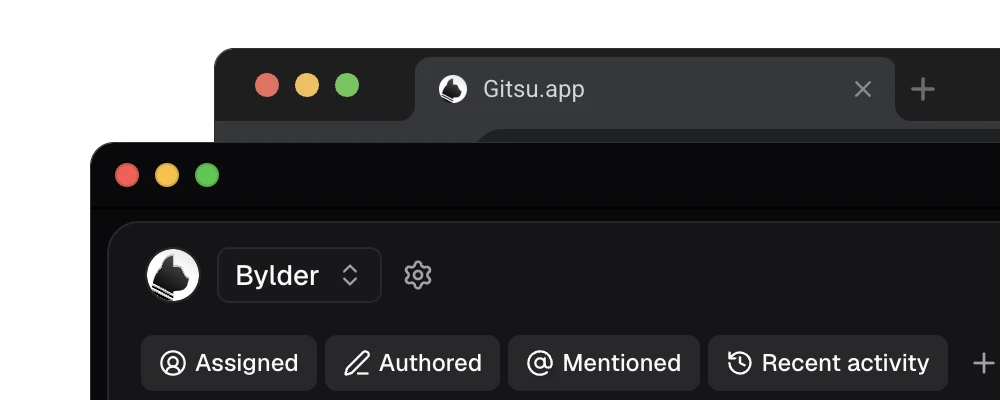
Gitsu does not replace Azure Boards' planning process. Its product requirements cover lists, boards, filters, detail and writes, and list no capacity planning, process templates, test plans or Azure DevOps importer. One project is active at a time, multi-project workspaces and cross-project views are non-goals, and it loads up to 2,000 items per project. Every item has an "Open on GitHub" action for anything it does not do.
| Your situation | Pick |
|---|---|
| You need sprint capacity, process templates or run Azure Pipelines | Azure Boards |
| Work is issues and pull requests, and GitHub's UI is good enough | GitHub Projects |
| Work is issues and pull requests, and GitHub's UI is the problem | Gitsu over GitHub Projects |
| Non-engineers plan alongside engineers with custom workflows | Jira |
Open Gitsu's free web app on one existing GitHub project and filter your real backlog; teammates keep using github.com and see every change. Paid Seats add the macOS app and agents; see current plans. For the wider field, read the roundup of GitHub Projects tools.
How we checked
Microsoft's AB# linking rules, read line by line for what they do and do not change in GitHub, set against Gitsu's own requirements (one active project, a 2,000-item cap, no capacity planning or importer), with the headings taken from the searches assistants ran for this comparison in October 2026.
- https://azure.microsoft.com/en-us/pricing/details/devops/azure-devops-services/
- https://learn.microsoft.com/en-us/azure/devops/boards/github/?view=azure-devops
- https://learn.microsoft.com/en-us/azure/devops/boards/github/link-to-from-github?view=azure-devops
- https://learn.microsoft.com/en-us/azure/devops/boards/sprints/set-capacity?view=azure-devops
- https://learn.microsoft.com/en-us/azure/devops/boards/work-items/about-work-items?view=azure-devops
- https://docs.github.com/en/issues/planning-and-tracking-with-projects/learning-about-projects/about-projects
- https://docs.github.com/en/issues/planning-and-tracking-with-projects/managing-items-in-your-project/adding-items-to-your-project
- https://github.com/pricing
Frequently asked questions
Is Azure Boards free for 5 users?
Yes. Microsoft's Azure DevOps pricing page, checked on 12 October 2026, gives the first five users in an organization a free Basic license, which includes Azure Boards, and lists $6 per user per month after that. Stakeholder access is free for any number of users but leaves out the agile tools: Kanban boards, backlogs, sprint planning and portfolio management.
Does Azure Boards sync GitHub issues?
No, it links them. The Azure Boards app for GitHub links GitHub commits, pull requests, branches and issues to Azure Boards work items, for example by writing AB#125 in an issue description. The GitHub issue and the work item stay two separate records, and a status change in one does not edit the other's fields.
Is GitHub Projects better than Azure Boards?
For a team whose work is issues and pull requests, GitHub Projects removes a second system and is included on GitHub's Free plan. Azure Boards is better at process: work item types from Agile, Scrum, Basic or CMMI templates, sprint capacity in hours or days, and portfolio backlogs of epics and features. Choose by where the team plans today.
Do Azure Boards backlogs and sprints include capacity planning?
Yes. Microsoft's docs describe setting a team's capacity for each sprint in hours or days, per person and per activity, with days off and non-working days taken into account. Setting or viewing capacity needs at least Basic access; Stakeholders can't. GitHub Projects has an iteration field but no capacity tool.
Is Azure DevOps included with GitHub Enterprise?
Microsoft's pricing page says Azure DevOps Basic is included in GitHub Enterprise, and that GitHub Enterprise Cloud customers who manage users with Entra ID can access Azure DevOps without additional cost. Visual Studio subscribers also get access and do not count against the five free users. Check your own agreement before relying on it.
Try it on your own boardsGitsu opens your GitHub Projects boards in the browser. Sign in with GitHub and work on the same issues your team already uses.
Open the web app