GitHub is the better choice when the work is code and the team is engineers; Jira is better when you run scrum sprints, need enforced workflows and reports, or plan with people outside engineering. GitHub keeps issues, sub-issues and pull requests in one place with the code and plans them in GitHub Projects. Jira is a separate tracker that links to code through an app, and it hosts no repositories.
The two answer different questions. GitHub Projects asks how to plan the issues and pull requests you already have in GitHub. Jira asks how a whole organisation should run its work, with engineering as one team among several. Most "GitHub Projects vs Jira" decisions get easier once you know which question your team is asking.
We make Gitsu, so we have a side. This page says where Jira wins, where GitHub wins, and when that third option fits.
| Jira | GitHub Projects | Gitsu on GitHub Projects | |
|---|---|---|---|
| Free plan | Up to 10 users, 2 GB of storage | Included on GitHub Free, private repositories too | Web App free; GitHub Free underneath |
| Paid plans | Standard, Premium and Enterprise, priced per user | GitHub Team $4, Enterprise $21 per user per month | Pro for one person, Team per Seat; see pricing |
| Size limit | Not stated on the pages we checked | 50,000 items per project | Loads up to 2,000 items per project |
| Workflows | Custom workflows | Automations set fields; no enforced transitions | Same as GitHub Projects |
| Non-engineers | Plan in Jira without a GitHub seat | Need a GitHub account | Need a GitHub account |
Jira figures are from Atlassian's Jira pricing page and GitHub figures from GitHub's pricing page, both checked on 29 October 2026. For what a team of 10 pays across tools, read GitHub project management pricing.
What is the difference between GitHub Issues and Jira, feature by feature?
GitHub Projects is a planning layer inside GitHub; Jira is a separate tracker from Atlassian. GitHub's docs describe a project as "an adaptable table, board, and roadmap" built from your issues and pull requests. Changes sync both ways: reassign an item in the project and the issue changes too. Jira keeps its own work items, and connects to code through an integration.
| What you compare | GitHub Projects | Jira |
|---|---|---|
| Where the work lives | GitHub issues and pull requests | Jira work items, linked to code by an app |
| Layouts | Table, board, roadmap | Boards, backlog, timelines; advanced roadmaps on Premium |
| Workflows | Built-in automations set fields; no enforced transitions | Custom workflows |
| Sprints | Iteration field; manual bulk move to roll work over | Native sprints planned from the backlog (scrum spaces) |
| Agile templates and reports | Configurable charts, default burn-up | Scrum and kanban templates; velocity and other reports |
| Time tracking | Not built in | Built in: estimates and logged time |
| Hierarchy | Sub-issues: 100 per parent, eight levels deep | Epics and child work items |
| Issue types | Up to 25 per organization; task, bug, feature by default | Configurable work item types |
| Search | Issue search syntax; Projects filters are narrower | JQL advanced search |
| Fields | Up to 50 per project, built-in included | Custom fields |
| Code hosting | Repositories, pull requests, Actions | None; connects to GitHub, Bitbucket or GitLab |
| Size limit | 50,000 items per project, archive included | Not stated on the pages we checked |
| Free entry | Included on GitHub Free | Free for up to 10 users, 2 GB storage |
| Integrations | GitHub's ecosystem | Atlassian lists 3,000+ |
Sources: GitHub's About Projects, Adding items, iteration fields, insights, sub-issues and issue types docs; Atlassian's Jira pricing page and its help pages on sprints, the velocity chart, time tracking and JQL. Checked on 9 and 29 October 2026.
Where is Jira still better than GitHub?
Jira is still better at sprints, enforced process, time and reporting, and planning beyond engineering. If your team runs scrum, those are not small gaps.
Sprints and their reports. In Jira's scrum template a team plans each sprint from the backlog, and the velocity chart shows how much work it completes per sprint on average. GitHub's iteration field gives you the time boxes, and you can group, filter and chart by them, but rolling unfinished work over is a manual bulk move and the default chart is a burn-up. There is no velocity chart.
Time tracking. Jira records original estimates and logged time on each work item and reports whether work is ahead of or behind schedule. GitHub has no built-in time tracking; teams add an app.
Search. Jira's advanced search uses JQL, a query language with clauses such as ORDER BY. GitHub's issue search is good, but Projects filters support less of it.
Process. Jira is better when the process matters as much as the work. Its custom workflows let a team define what "done" means and which steps lead there, and it ships scrum and kanban templates with reports and dashboards built for them. GitHub Projects has automations that set a field when an item is added or changed, and an iteration field for week-by-week planning. Neither stops someone from moving a card straight from "Todo" to "Done".
Jira is also better when the people planning are not engineers. Product, support, marketing and operations can all keep work in Jira without a GitHub seat or a repository to file into. Atlassian's pricing page lists advanced roadmaps on Premium, for planning across several teams. In GitHub, a roadmap lives inside one project, and our own research found an org-wide roadmap across projects to be the most-requested gap in GitHub Projects.
Finally, Jira has more connectors. Atlassian lists over 3,000 integrations. If your support desk, documentation and incident tooling already run on Atlassian products, Jira sits in the middle of them and GitHub does not.
Can GitHub replace Jira, or Jira replace GitHub?
GitHub can replace Jira for a software team whose work is issues and pull requests; Jira cannot replace GitHub, because it hosts no code. Jira links to repositories on GitHub, Bitbucket or GitLab through apps, so a team on Jira still needs one of them. GitHub stops short of Jira on sprint reports, enforced workflows, time tracking and planning for people without a GitHub seat. If you need those, run both and link them. If you do not, one system is less work than two.
Is GitHub good for project management?
Yes, for software teams whose work is code. A project pulls in issues and pull requests from your repositories, adds custom fields such as priority, size and iteration, and lets you save views as a table, a board or a roadmap. Built-in workflows can add items from a repository automatically and archive them when they match criteria. Charts in Insights use the project's items as their data. Status updates let you mark a project "On track" or "At risk".
The biggest advantage is that there is one record. An engineer comments on the issue, links the pull request, and the board shows it. Nobody copies a status from one tool to another.
What are the disadvantages of GitHub Projects?
The main disadvantages are planning depth and the interface. A roadmap covers one project, so there is no built-in portfolio view across projects. There are no enforced workflow transitions. The web UI is the other complaint: our research into GitHub Projects found slow, low-density screens and no real keyboard model to be universal complaints, alongside weak saved views. Projects filtering also lacks the full issue-search grammar, which makes serious dashboards awkward.
These two halves are different problems. The planning half needs another tracker, or a lot of process. The interface half does not need a migration at all.
How does the Jira and GitHub integration work?
The integration is an Atlassian app called GitHub for Atlassian. A Jira site admin installs it from the Jira apps menu, and a GitHub organization owner connects the organization. Once connected, your team's branches, commits and pull requests appear on the linked Jira work items, on the Jira board and in the releases feature. During setup Atlassian also asks whether GitHub data should be searchable in its Rovo AI tools; you can opt out.
What the integration does not do is make one record. The issue is still a Jira work item, and the code still lives in GitHub. Discussions split between a GitHub pull request and a Jira comment. Teams that run both pay for that every week, in context switching and in arguments about which status is current.
How much do GitHub Projects and Jira cost?
GitHub Projects costs nothing extra: GitHub's pricing page lists Issues and Projects on the Free plan. Team is $4 and Enterprise is $21 per user per month, both mostly paying for things other than planning, such as Actions minutes, protected branches and security features.
Jira's pricing page lists a Free plan for up to 10 users with 2 GB of storage, then Standard, Premium and Enterprise. Paid plans are priced per user, and the per-user figure depends on team size, so use Atlassian's calculator for your headcount. Enterprise is quoted by sales. Remember that a team on Jira and GitHub pays for both.
Prices were checked on 29 October 2026 on GitHub's pricing page and Atlassian's Jira pricing page.
Is there anything better than Jira?
For a team whose work is code, keeping it in GitHub is often better than Jira, because the second system goes away. For a team that wants a separate planning tool built around cycles and triage, Linear is the usual alternative. For a team that needs workflow rules, permissions and reports across departments, Jira is hard to beat, and we would not argue otherwise.
There is also a third option that the usual comparisons skip. Many teams look at Jira because GitHub's interface is slow, not because they need Jira's process. For them, the fix is a better client over the same issues.
When should you keep GitHub and use Gitsu instead?
Choose Gitsu if your issues already live in GitHub and the interface, not the planning model, is what pushes you towards Jira. Gitsu reads and writes your GitHub project directly, so there is nothing to migrate and nothing to sync. It gives the same issues:
- dense lists and a board, with keyboard shortcuts for every view and a
⌘Kcommand palette; - nested AND/OR filters across every field type, with saved views;
- bulk edits on selected items, which show the moment you press the key and roll back if GitHub refuses;
- a roadmap layout for one project, from its date or iteration fields;
- on the paid macOS app, an MCP server so coding agents can read and update the same board.
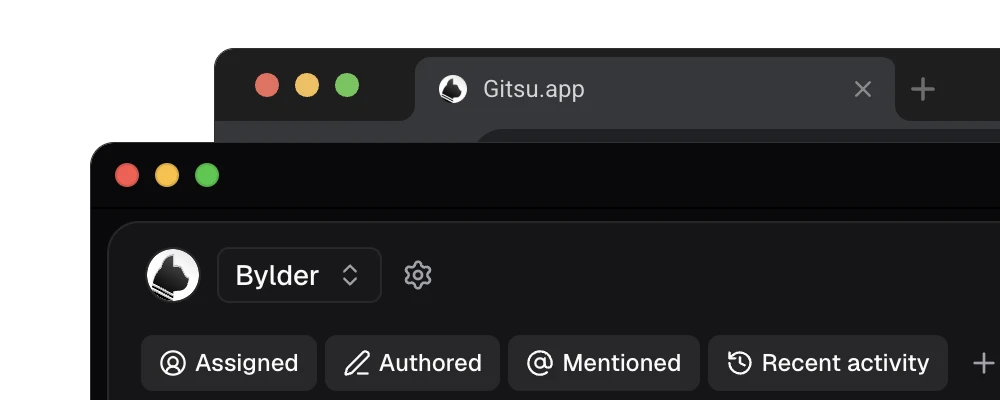
Gitsu is not a Jira replacement for every team, and its own research says so. Its product requirements list multi-project workspaces, cross-project views, notifications and mobile apps as non-goals. It loads up to 2,000 items per project. It has no Jira importer and no workflow enforcement. A team larger than about 10, or one where the planner is not an engineer, will likely miss things Jira has. Every item has an "Open on GitHub" action for the rest.
| Your situation | Pick |
|---|---|
| Non-engineers plan in the tracker, or you need enforced workflows | Jira |
| Work is issues and pull requests, and GitHub's UI is good enough | GitHub Projects |
| Work is issues and pull requests, and GitHub's UI is the problem | Gitsu over GitHub Projects |
| You want a separate planning tool with cycles | Linear |
Start with Gitsu's free web app on one existing project; teammates keep using github.com and see the same changes. Paid Seats add the macOS app and agents; see current plans. For the wider field, read the roundup of GitHub Projects tools.
How we checked
Gitsu's own limits against a Jira-sized team, taken from its PRD non-goals, its 2,000-item cap in code and its ideal-customer research, next to Jira and GitHub facts checked on the vendors' own pages on 2026-10-29.
- https://www.atlassian.com/software/jira/pricing
- https://github.com/pricing
- https://docs.github.com/en/issues/planning-and-tracking-with-projects/learning-about-projects/about-projects
- https://docs.github.com/en/issues/planning-and-tracking-with-projects/managing-items-in-your-project/adding-items-to-your-project
- https://support.atlassian.com/jira-cloud-administration/docs/integrate-with-github/
- https://www.atlassian.com/software/jira/comparison/jira-vs-github
- https://docs.github.com/en/issues/planning-and-tracking-with-projects/understanding-fields/about-iteration-fields
- https://docs.github.com/en/issues/planning-and-tracking-with-projects/viewing-insights-from-your-project/about-insights-for-projects
- https://docs.github.com/en/issues/tracking-your-work-with-issues/using-issues/adding-sub-issues
- https://docs.github.com/en/issues/tracking-your-work-with-issues/using-issues/managing-issue-types-in-an-organization
- https://support.atlassian.com/jira-software-cloud/docs/what-is-a-sprint/
- https://support.atlassian.com/jira-software-cloud/docs/view-and-understand-the-velocity-chart/
- https://support.atlassian.com/jira-software-cloud/docs/log-time-on-an-issue/
- https://support.atlassian.com/jira-software-cloud/docs/use-advanced-search-with-jira-query-language-jql/
- https://support.atlassian.com/jira-software-cloud/docs/what-is-an-epic/
- https://support.atlassian.com/jira-cloud-administration/docs/what-are-issue-types/
- https://support.atlassian.com/jira-cloud-administration/docs/integrate-with-development-tools/
Frequently asked questions
Is GitHub good for project management?
Yes, for software teams whose work is issues and pull requests. GitHub Projects gives table, board and roadmap layouts, custom fields including iterations, built-in automations and charts, and it is included on GitHub's Free plan. It is weaker for teams that need enforced workflows or planning across many projects in one view.
Can GitHub replace Jira?
For a software team whose work is issues and pull requests, yes: GitHub Projects covers boards, roadmaps, custom fields, iterations and charts. It does not replace Jira's enforced workflows, sprint reports such as velocity and burndown, built-in time tracking or planning for non-engineering teams. Jira cannot replace GitHub either, because it hosts no code.
Can you run sprints in GitHub Projects?
Partly. An iteration field splits work into repeating blocks of any length, with breaks, and you can group, filter and chart by it. Unfinished items roll over by a manual bulk move to the next iteration, and the built-in chart is a burn-up. Jira's scrum template plans sprints from a backlog and adds a velocity chart.
How much do GitHub Projects and Jira cost, and is Jira free for 10 users?
GitHub's pricing page, checked on 29 October 2026, includes Issues and Projects on the Free plan; Team is $4 and Enterprise $21 per user per month. Atlassian's Jira pricing page lists Free for up to 10 users with 2 GB of storage, then Standard, Premium and Enterprise priced per user. Confirm both before buying.
Does Jira work with GitHub?
Yes, through the GitHub for Atlassian app. A Jira site admin installs it and a GitHub organization owner connects the organization, after which branches, commits and pull requests show on the linked Jira work items. It links the two systems; it does not merge them, so the issue is still a Jira work item and the code still lives in GitHub.
Can I use Jira and GitHub together?
Yes. The GitHub for Atlassian app links branches, commits and pull requests to Jira work items, so they show on the Jira board and in its releases feature. The issues themselves still live in two places, and someone has to keep them in agreement.
Try it on your own boardsGitsu opens your GitHub Projects boards in the browser. Sign in with GitHub and work on the same issues your team already uses.
Open the web app