Five tools come up when a team runs its work on GitHub and wants something better: GitHub's own Projects UI, Zenhub, Linear with GitHub sync, Plane, and Gitsu. They answer different questions, and the right one depends on who is buying and what job they need done.
We make Gitsu, so read this with that in mind. Every tool below gets the same four questions: what it is, what it costs, whether it keeps your work in GitHub, and who it suits best. The tools are listed from the one closest to GitHub outward, and Gitsu comes last. Competitor prices are from our August 2026 research, which drew mostly on third-party pricing trackers; check each vendor's page before you buy.
How do the five tools compare at a glance?
| Tool | Free entry | Paid entry | Billing | Work lives in | Best for |
|---|---|---|---|---|---|
| GitHub Projects | Free with GitHub | Team $4/user/mo; Enterprise $21 | Per seat | GitHub | Everyone on GitHub, as the default |
| Zenhub | 14-day trial, no free tier | $8.33–12.50/user/mo | Per seat | GitHub, plus Zenhub's planning data | Teams that plan in sprints on GitHub |
| Linear (with GitHub sync) | 250 active issues, 2 teams | $10/user/mo annual ($12 monthly) | Per seat | Linear's cloud | Teams that want a dedicated planning tool |
| Plane | Free tier, and self-host | Pro $6/seat/mo | Per seat | Your server or Plane's cloud | Teams that need open source or self-hosting |
| Gitsu | Free web app, no card | Paid subscription (desktop and agents) | Per account | GitHub | One person who wants a faster GitHub Projects client |
GitHub's prices are for GitHub's paid plans as a whole; Projects itself comes with every account.
What does GitHub's own Projects UI offer?
GitHub Projects is the board, table and roadmap layer built into GitHub, and it is free with every account. Its advantage is that it is already there: every repository has Issues, and there is no new login, no new bill and nothing to migrate.
- Price: free with GitHub. GitHub's paid plans are Team at $4 per user per month and Enterprise at $21.
- GitHub-native: yes. It is GitHub.
- Best for: every team on GitHub, as the place to start. It has a Roadmap layout and full per-view configuration.
Its weak points are the ones users ask about most in GitHub's community discussions: no roadmap across several projects, no dependency view on the roadmap, and a Projects filter bar that does not take GitHub's full search grammar. The UI is also slower and less dense than dedicated tools, and it has little keyboard support.
What does Zenhub offer?
Zenhub is project management built into GitHub for teams. It adds sprints, epics, real-time roadmaps and burndown charts on top of your existing GitHub issues.
- Price: $8.33 to $12.50 per user per month. There is no free tier and there is a 14-day trial. Our sources disagreed on which figure is which tier.
- GitHub-native: yes. It works on the issues in your repositories and adds its own planning layer.
- Best for: teams that plan in sprints and report on progress, where everyone will use it.
Zenhub is the closest tool to Gitsu by category, and it wins the planning comparison outright. The full comparison is in Gitsu compared with Zenhub.
What does Linear with GitHub sync offer?
Linear is a fast, keyboard-first planning tool with cycles, a triage inbox and a notifications inbox. It keeps work in its own cloud and can import from and sync with GitHub.
- Price: free up to 250 active issues and 2 teams, with unlimited members. Creating issue 251 is blocked until you archive or upgrade. Basic is $10 per user per month billed annually ($12 monthly), and Business is $16 ($18 monthly).
- GitHub-native: no. It has its own store, with a GitHub importer and sync. Some teams keep public GitHub issues and a private Linear, joined by a sync or by the open-source SyncLinear bridge, and pay for it in broken syncs and two sources of truth.
- Best for: teams that want a dedicated planning system and will move to it together.
The trade-offs are covered in Linear vs GitHub Issues.
What does Plane offer?
Plane is an open-source project tool, often described as an open-source Linear. It wins teams that need self-hosting, data residency or heavy customisation.
- Price: a free tier, plus free self-hosting. Pro is $6 per seat per month; Plane cut it from $7 in 2026 and added time tracking, a wiki and custom work item types at that tier.
- GitHub-native: no. Work lives in Plane, either on your own server or in Plane's cloud.
- Best for: teams that need to control where their data lives, or want to change the tool itself.
Our research did not test Plane's GitHub integration, so we make no claim about it here.
What does Gitsu offer?
Gitsu is a client for GitHub Projects: a native macOS app and a web app that read and write your GitHub boards directly. It adds a keyboard model, nested AND/OR filters, bulk edit and a controlled path for coding agents, and stores nothing outside GitHub.
- Price: the web app is free with no card. A paid subscription adds the desktop app and the agent features. It is billed per account, not per seat; the current price is in the pricing section of the Gitsu home page.
- GitHub-native: yes. Every edit is an ordinary change to your GitHub project.
- Best for: one person on the team who works the board all day and wants it faster, without anyone else changing tools.
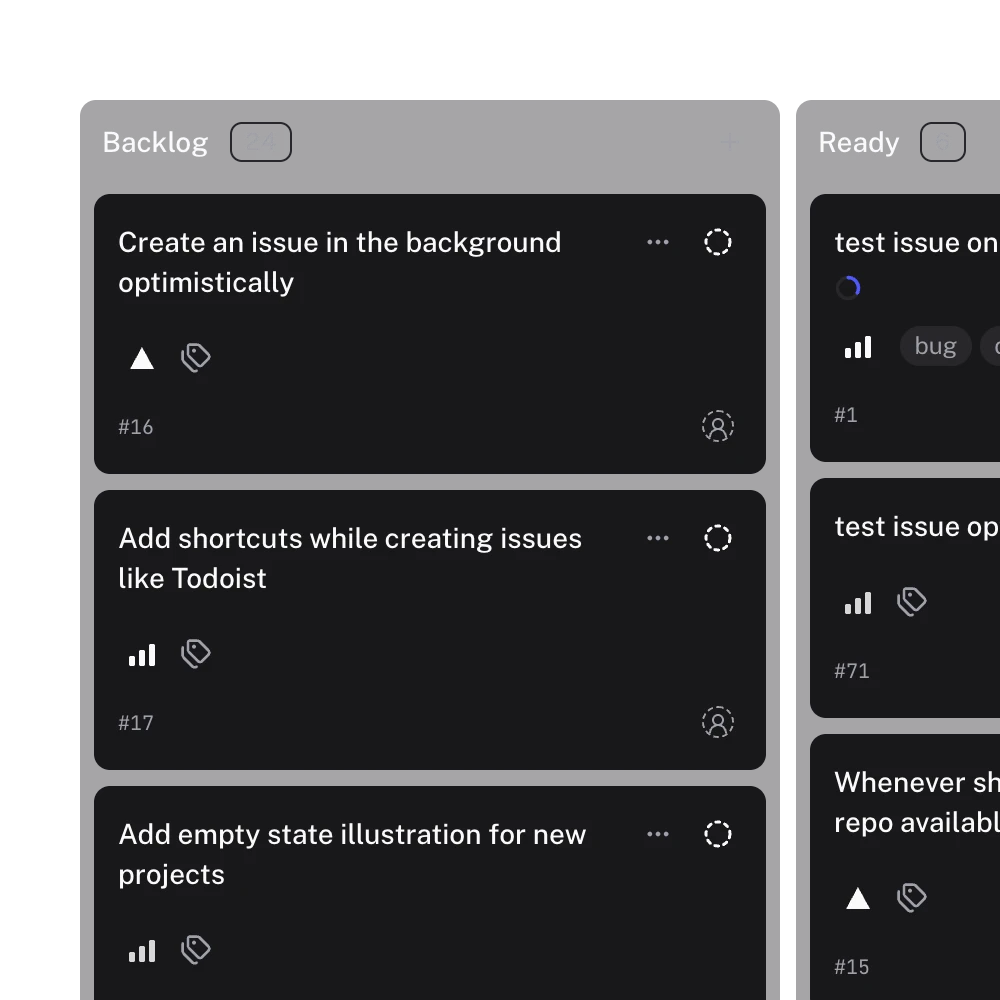
Gitsu is the weakest of the five at planning. It has no roadmap or timeline, no sprint rollover or burndown, and no triage inbox; the home page lists cycles, triage and a roadmap timeline as coming soon. It shows one project at a time, and it loads at most 2,000 items per project. Our August 2026 audit found it at parity with github.com on 209 of 817 operations. The details are in Gitsu compared with GitHub's Projects UI.
Which one should you choose?
Start with GitHub Projects. It is free, it does the most, and it is already where your issues are. Move beyond it only for a specific reason.
- The team plans in sprints and wants burndowns and roadmaps on GitHub: Zenhub.
- The team wants a dedicated planning tool and is happy to hold work outside GitHub: Linear, synced if contributors stay on GitHub.
- You need open source or self-hosting: Plane.
- You are the one person who finds GitHub's UI slow and wants a denser, keyboard-driven client, or you run coding agents against your issues: Gitsu. It sits on top of GitHub Projects rather than replacing it, so it can sit alongside any of the others that keep work in GitHub.
To try Gitsu on your own boards, follow getting started with the Gitsu Web App.
Frequently asked questions
Is there a free alternative to Zenhub?
GitHub's own Projects is free with every GitHub account and keeps work in GitHub. Plane has a free tier and can be self-hosted, and Linear is free up to 250 active issues. Gitsu's web app is free with no card, but it is a client for GitHub Projects rather than a sprint planning tool like Zenhub.
Which tools keep my issues in GitHub?
GitHub's own UI, Zenhub and Gitsu all work on the issues in your GitHub repositories. Linear and Plane keep work in their own store; Linear can sync with GitHub.
What is a good Linear alternative for GitHub users?
If your team already works in GitHub, the lowest-friction option is GitHub Projects itself, with a client such as Gitsu for daily use. If you want Linear-style sprint planning on top of GitHub, look at Zenhub. If you want an open-source tool you can host, look at Plane.
Why is Gitsu not first in this list?
Because for most readers it is not the first thing to try. GitHub's own UI is free, does the most, and is already there. The tools are listed from the one closest to GitHub outward, and Gitsu is last because it is ours.
Try it on your own boardsGitsu opens your GitHub Projects boards in the browser. Sign in with GitHub; your data stays in GitHub.
Open the Web App