A solo developer whose code is on GitHub should start with GitHub Issues and a Projects board. They cost nothing, the issues sit next to the commits and pull requests that close them, and there is no second tool to keep in step. Switch to a separate tracker only when you want something GitHub Projects does not do, and expect a free plan to run out. This guide sets the board up, compares the alternatives on their real free limits, and shows where Gitsu, our client for GitHub Projects, helps and where it does not.
Is GitHub Issues enough for a solo developer?
Yes, until the backlog stops fitting in your head. GitHub's Free plan lists unlimited public and private repositories, and a Projects board adds table, board and roadmap views over the issues. For one person that covers capture, prioritising and "what next". It does not give you Linear-style cycles or a triage inbox, and a long board can be tedious to work through. Those are the two usual reasons to look elsewhere.
How do I set up a GitHub project for solo work?
Create a user project from your profile, then put your issues on it. These steps follow GitHub's quickstart for a personal account:
- Click your profile picture in the top right, then Your profile.
- Click Projects, then New project.
- Under "Start from scratch", choose Board, or pick a built-in template.
- Name the project and click Create project.
- Add issues from the repositories you own, and keep a Status column such as Backlog, Ready, In progress and Done.
Write each issue as one change you could finish in a sitting, so the board shows progress.
What do Linear, Zenhub, Jira and Plane give a solo developer for free?
Each has a free plan, and the limit that bites is different. The figures below come from each vendor's pricing page, checked on 24 October 2026.
| Tool | Free plan | First paid price | Where a solo developer hits the wall |
|---|---|---|---|
| GitHub Projects | Included with a GitHub account | Not needed for solo use | No cycles or triage inbox |
| Linear | Unlimited members, 2 teams, 250 issues | Basic, $10 per user per month, yearly billing | 250 issues, then paid |
| Zenhub | 1 workspace, 2 repositories, 250 issues | Teams, $4.99 per user per month, billed yearly | Two repositories and 250 issues |
| Jira | Up to 10 users, 2 GB storage | Standard, $8.48 per user per month on monthly billing | Setup weight, not the limit |
| Plane | Free plan, 12 users listed | Pro from $6 per seat | Hosting yourself if you want it free |
Linear is the best of them if you want a fast, opinionated tracker and are willing to run it beside GitHub; the cost is copying or syncing issues and a 250-issue ceiling. Zenhub stays on GitHub issues, which suits a solo developer who wants sprint reports, but its Free plan covers two repositories. Jira carries the most process for the least benefit to one person. Plane suits you if you want to self-host. Our Linear comparison covers the sync trade-offs.
When is a separate issue tracker worth it?
A separate tracker is worth it when you need a feature GitHub lacks and will pay or tolerate a cap for it. Good reasons are cycles with automatic rollover, a customer-request inbox, or planning that spans work outside GitHub. A weaker reason is that the board feels clumsy, because you can try a different interface over the same issues without moving anything. If you do move, your issues are ordinary GitHub issues, so the data comes with you.
How do I work the same board faster with Gitsu?
Gitsu is a macOS and web client for GitHub Projects. It reads your project, shows it in dense lists and boards, and sends every change back to GitHub, so github.com stays accurate. To try it on your solo board:
- Open dash.gitsu.app and choose Continue with GitHub.
- Approve the access Gitsu asks for.
- On Import projects, tick your board and choose Continue to Gitsu.
- Press
⌘Kfor the command palette, orFfor the filter menu. - Apply a filter you use, then make a bulk edit on the matching issues.
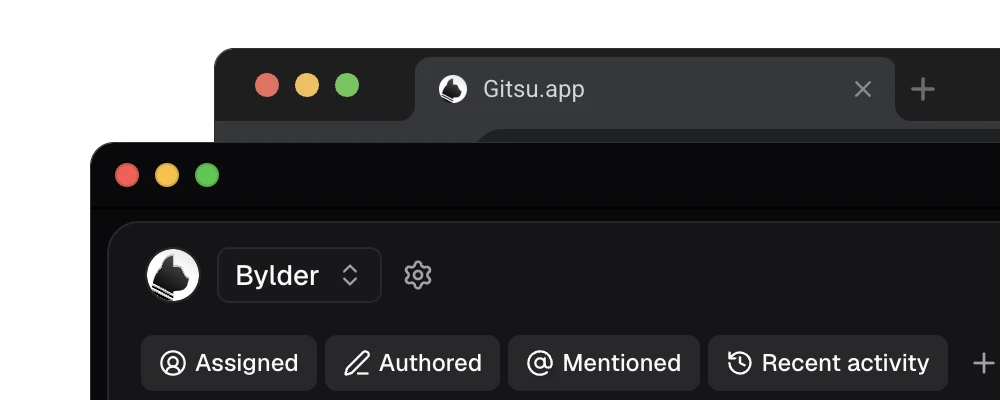
The quick filters (Assigned, Authored, Mentioned, Recent activity) and nested AND/OR filters cut the clicks of a weekly review. If you have no board yet, Gitsu's import step offers Create a project and makes one for you.
The web app is free. The macOS app and MCP access for coding agents need a paid Seat; Pro covers one person, and the amount is on the pricing page. If you stop paying, your issues stay in GitHub and the free web app still opens them.
Where does Gitsu not fit a solo developer?
Gitsu does not fit if your backlog is small enough that GitHub's own board is fine, and it will not replace tools that bring their own planning model. It loads up to 2,000 items per project and tells you when it stopped. It shows one project at a time, has no notifications inbox, no mobile app, and no automatic sprint rollover or burndown. Linear's cycles and Zenhub's sprint reports have no Gitsu equivalent. A solo developer with a 40-issue board should stay on github.com; one who triages hundreds of issues weekly, or who wants coding agents working the same board, is who it is for.
How we checked
The solo-developer setup walked through GitHub's own user-project flow, then Gitsu's board import and its limits (the 2,000-item cap and non-goals) taken from its client code and PRD, beside free-plan limits read from five vendors' pricing pages on 24 October 2026.
Frequently asked questions
What is the best issue tracker for a solo developer?
For someone whose code is on GitHub, GitHub Issues with a Projects board, since it is free, already linked to commits and pull requests, and has no second tool to keep in step. A separate tracker only helps if you want features GitHub Projects lacks, such as Linear cycles.
Is Linear free for one person?
Yes, up to a limit. Linear Free allows unlimited members, 2 teams and 250 issues. Basic is $10 per user per month on yearly billing and removes the issue cap, as of 24 October 2026.
Is a GitHub Projects board free for a personal account?
Yes. A user project can be created from your profile under Projects, and GitHub lists unlimited public and private repositories on its Free plan.
Do I need Gitsu as a solo developer?
No. GitHub alone is enough for a small backlog. Gitsu helps once triage becomes a chore: it adds nested filters, bulk edits and keyboard control over the same issues. The web app is free; the macOS app needs a paid Seat.
Can I move off GitHub Issues later?
Yes. Your issues are ordinary GitHub issues, so a later move to Linear or another tracker starts from data you already own. Gitsu stores nothing of its own that you would need to migrate.
Try it on your own boardsGitsu opens your GitHub Projects boards in the browser. Sign in with GitHub and work on the same issues your team already uses.
Open the web app