Zenhub and Linear solve the same job in opposite ways. Zenhub plans on top of the GitHub issues you already have. Linear is a separate planning tool that holds the work in its own cloud and syncs with GitHub. For a team whose code, issues and pull requests are in GitHub, that difference decides most of the choice.
We make Gitsu, a client for GitHub Projects, so this page also covers a third route: keep planning in GitHub and change the tool you work in. Gitsu is not the right pick for every team below, and each section says where.
What is the difference between Zenhub and Linear?
Zenhub is GitHub-native project management, and Linear is a standalone planning system. Zenhub reads and writes the issues in your repositories and adds sprints, epics, roadmaps and burndown charts on top. Linear stores issues, cycles and projects in its own workspace and can import from and sync with GitHub.
| Question | Zenhub | Linear |
|---|---|---|
| Where the work lives | GitHub, plus Zenhub's planning data | Linear's cloud |
| GitHub relationship | Works on your GitHub issues directly | GitHub importer and two-way sync |
| Planning model | Sprints, epics, roadmaps, burndown and velocity | Cycles, triage inbox, projects and initiatives |
| Free entry | Free plan: 1 workspace, 2 repositories, 250 issues | Free plan: 2 teams, 250 issues |
| First paid tier | Teams, $4.99 per user per month billed yearly | Basic, $10 per user per month |
| Everyone must adopt it | Yes, for the planning layer to be useful | Yes, the team plans inside Linear |
The cost of the sync is easy to underestimate. When Linear and GitHub both hold an issue, the same bug has two states in two places, and someone decides which is right when they disagree. Our Linear comparison covers that sync in detail.
How much do Zenhub and Linear cost, and what do the free plans allow?
Both have a free plan capped at 250 issues, and both charge per user after that. Zenhub's Free plan, re-read on its pricing page on 24 October 2026, allows one workspace, up to 50 users, one connected GitHub organization, up to two repositories and 250 issues. Teams raises that to ten workspaces, 50 repositories and 5,000 issues, and Enterprise is quoted on request. Teams is $4.99 per user per month billed yearly on the same page, with a 14-day Teams trial for new accounts.
Linear's pricing page, read on 24 October 2026, lists Free at $0 with 2 teams and 250 issues, Basic at $10 per user per month with 5 teams, and Business at $16 per user per month with unlimited teams. Enterprise is custom. Select the billing interval on that page to see current monthly and yearly rates.
The caps bite differently. Zenhub's Free plan limits connected repositories to two, which a team with many small repositories reaches before it reaches 250 issues. Linear's Free plan limits teams to two. If a 250-issue workspace is the thing worrying you, Linear's 250-issue limit explains what happens at the edge.
Which is better for a team that already works in GitHub?
Zenhub is better when the team wants to keep issues and pull requests in GitHub and still plan in sprints. Nobody exports or imports anything, because Zenhub plans on the issues that exist. The trade is that its planning data, such as epics and estimates boards, lives in Zenhub, and its value depends on the team using it together.
Linear is better when the team wants a planning system with its own vocabulary and is willing to move there. Engineers still open GitHub for code and review, so you decide how issues travel between the two. Some teams keep public bug reports in GitHub and private planning in Linear. That works, and it costs a sync that someone has to watch.
If you are choosing because GitHub's own board feels slow to work in rather than because it lacks sprints, you may not need either. That is where the third option comes in.
What does Zenhub do better than Linear?
Zenhub does better where the work is GitHub issues and the plan is sprints. It works on the repositories you already have, so there is no migration and no second copy to reconcile. Its Free plan already includes automated sprint planning, planning poker, estimates, epics, real-time roadmaps, basic sprint reports and a velocity report, according to the plan table on its pricing page. For a team that wants sprint reporting and expects to stay on GitHub, that is the most direct route. The cost is per-user billing past the free limits.
What does Linear do better than Zenhub?
Linear does better as a dedicated planning tool for a team that will adopt it fully. Its cycles repeat on a schedule of one to eight weeks, with automatic rollover and velocity-based capacity, a triage inbox gives new unassigned work a queue, and projects and initiatives sit above issues for longer-running work. Pull request activity can move an issue's status, and there is a notifications inbox. If those are requirements and the team is happy to hold its planning record in Linear, Zenhub's GitHub-native approach is no advantage. The price is the sync with GitHub and a second place to check.
Is there a third option that keeps the work in GitHub Projects?
Yes: keep GitHub Projects as the record and use a better client on top of it. GitHub Projects is free with every GitHub account and already has boards, tables and a roadmap layout. What a team often misses is speed in the daily loop, not features.
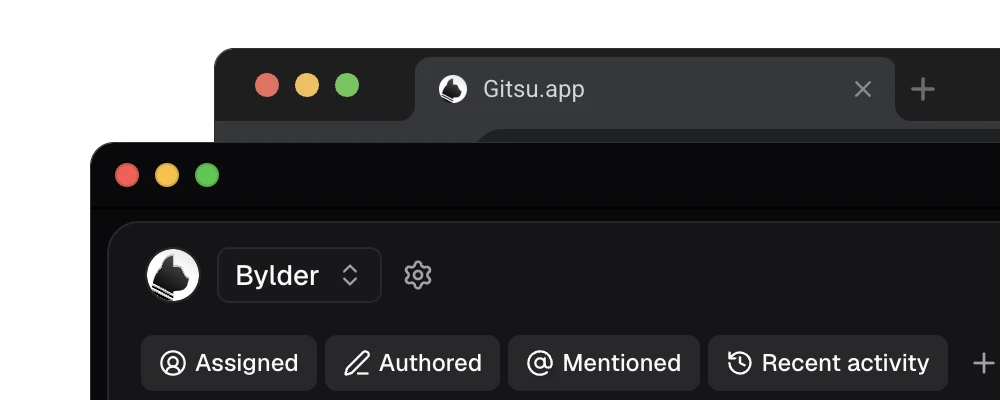
Gitsu is that client: a web app and a native macOS app that read and write your GitHub boards directly. It adds a keyboard model (⌘K opens a command palette over every write, F opens filters, G L and G B switch between list and board), nested AND/OR filters across field types, bulk edit, and a single-project roadmap drawn from date or iteration fields. Every change is an ordinary change to the GitHub project, so teammates keep using github.com and one person can adopt it first. The web app is free, and paid macOS Seats add desktop agents and MCP access; the current prices are on the pricing page.
Gitsu's limits are real. It has no automatic sprint rollover, velocity or burndown reports, no triage inbox, no notifications inbox and no mobile app. It shows one project at a time and loads up to 2,000 items per project, saying when it stopped. If those matter, Zenhub or Linear is the better answer. Our Zenhub comparison and roundup of GitHub Projects tools go deeper.
Which should you pick?
Pick by where the work should live and what you need the tool to report.
| If you need | Pick |
|---|---|
| Sprints, epics and burndown on top of GitHub issues, adopted by the whole team | Zenhub |
| Cycles, a triage inbox and initiatives in a dedicated tool, with GitHub synced | Linear |
| Denser daily work on GitHub Projects boards, one person at a time, no second tracker | Gitsu |
To try the third route, open one existing project in the free Gitsu web app, apply a filter you use for triage and run a bulk edit. Follow getting started with the Gitsu web app. You will know within one session whether the daily loop is what was bothering you, before you spend on either planning tool.
How we checked
A three-way check of Zenhub, Linear and a GitHub-native client, with the limits and prices re-read on 24 October 2026 and Gitsu's gaps (no sprint rollover, burndowns or triage inbox, one project at a time, a 2,000-item cap) taken from its PRD and code.
Frequently asked questions
Is Zenhub or Linear better for a team on GitHub?
Zenhub is built on GitHub: it reads and writes the issues in your repositories and adds its own planning layer. Linear keeps work in its own store and can import from and sync with GitHub, which means two systems to keep in agreement. If the team's issues and pull requests live in GitHub and will stay there, Zenhub is closer. If the team wants Linear's workspace and will move there together, choose Linear.
How much do Zenhub and Linear cost?
Zenhub's Free plan allows one workspace, up to 50 users, two connected repositories and 250 issues; Teams was listed at $4.99 per user per month billed yearly on 24 October 2026. Linear's pricing page, checked on 24 October 2026, lists Free at $0 with 2 teams and 250 issues, Basic at $10 per user per month and Business at $16 per user per month. Confirm billing intervals on each vendor's page before buying.
Can I use Zenhub and Linear together on GitHub?
You can, but you pay for it in upkeep. Zenhub works on GitHub issues directly, while Linear syncs with them through its GitHub integration, so the same work can exist in Zenhub's view, in Linear and in GitHub. Most teams pick one planning tool and let GitHub stay the record.
Is there a way to avoid both and stay in GitHub Projects?
Yes. GitHub Projects is free with GitHub, and Gitsu is a client for it: dense lists, keyboard controls, nested AND/OR filters, bulk edits and a single-project roadmap on the same boards. It has no sprint rollover, velocity or burndown charts and no triage inbox, so it suits teams that do not need those. Its web app is free; paid macOS Seats add desktop agents.
Try it on your own boardsGitsu opens your GitHub Projects boards in the browser. Sign in with GitHub and work on the same issues your team already uses.
Open the web app