The Zenhub alternatives most GitHub teams compare are Linear, Plane, Shortcut, Jira and GitHub Projects with Gitsu, and the first thing that splits them is where your issues live afterwards. Zenhub works on the issues already in your GitHub repositories. Linear, Plane, Shortcut and Jira are their own trackers, so leaving Zenhub for them means moving into another store. Of the five, only GitHub Projects keeps the issues where they are.
We make Gitsu, a client for GitHub Projects, so it appears here with its limits stated. Each tool gets the same four questions: what it is, what it costs on the free and paid tier, where the work lives, and who it suits. The order below is not a ranking. Prices come from the vendors' own pricing pages, last checked on 14 November 2026.
How do the Zenhub alternatives compare?
| Tool | Free tier | Paid entry | Work lives in | Best for |
|---|---|---|---|---|
| Zenhub (for reference) | 1 workspace, 2 repositories, 250 issues | Teams $4.99/user/mo, billed yearly | GitHub, plus Zenhub's planning data | Sprint reports on GitHub issues |
| Linear | 250 issues, 2 teams, unlimited members | Basic $10/user/mo | Linear's cloud | Fast, opinionated product teams |
| Plane | Up to 12 users | Pro $6/seat/mo, billed annually | Plane's cloud or your own server | Self-hosting and a Linear-like feel |
| Shortcut | Up to 10 users | Team $8.50/user/mo yearly, $10 monthly | Shortcut | Small teams that want stories, epics and iterations |
| Jira | Up to 10 users, 2 GB storage | Standard $8.48/user/mo | Atlassian's cloud | Configurable workflows and mixed teams |
| GitHub Projects with Gitsu | Projects on GitHub Free; Gitsu web app free | Gitsu Pro or Team Seats (pricing) | GitHub | Teams that want to keep issues in GitHub |
What does Zenhub cost, and what do you lose by leaving it?
Zenhub is GitHub-native project management: it syncs your issues, pull requests and repositories and adds epics, estimates, roadmaps, sprint planning and velocity reports on top. Its free plan is generous on features and tight on scale.
Zenhub's pricing page, checked on 14 November 2026, lists Free with one workspace, up to 50 users, two connected repositories and 250 issues. Teams is $4.99 per user per month billed yearly, or $7.50 billed monthly, with up to ten workspaces, 50 repositories and 5,000 issues. Enterprise is quoted on request. A new account gets a 14-day Teams trial and can continue on Free afterwards.
Leaving Zenhub costs you its automated sprint planning, velocity report and burndown charts unless the new tool has its own. Check that first: Linear has cycles, Shortcut has iterations and Jira has sprints. Gitsu works with an existing GitHub iteration field but has no automatic sprint rollover or burndown chart. Two Zenhub limits also push teams out: the 250-issue and two-repository ceilings on Free, and the fact that GitHub insights and non-GitHub viewers of GitHub issues are listed as Enterprise-only.
What does Linear offer?
Linear is a fast, keyboard-driven issue tracker with cycles, projects and roadmaps, and it is the tool most Zenhub leavers name first.
- Price: Free lists unlimited members, 2 teams and 250 issues. Basic is $10 per user per month and Business $16, on Linear's pricing page.
- Where work lives: in Linear. It connects to GitHub through an integration rather than working on your GitHub issues directly.
- Best for: product teams that will move all their planning into one tool and accept a second system beside GitHub.
Zenhub's free plan also stops at 250 issues, so the free limits match. Zenhub vs Linear compares the two directly, and Linear alternatives covers the same tools from the other side.
What does Plane offer?
Plane is an open-source project tool with work items, cycles, modules and several layouts. Its draw is deployment choice: the same plans run in Plane's cloud, on your own servers or air-gapped.
- Price: Free covers up to 12 users. Pro is $6 per seat per month, billed annually, on Plane's pricing page. Enterprise is quoted.
- Where work lives: in Plane, with a GitHub integration that syncs work items and states with GitHub issues.
- Best for: teams that need to control where their data sits, or want an open-source tool they can change.
Self-hosting moves the bill from seats to servers. Count the time to run and upgrade it before calling it free.
What does Shortcut offer?
Shortcut is a tracker built around stories, epics, iterations and objectives, with Docs for specs alongside the work. Its iterations are the closest match here to Zenhub's sprints.
- Price: Free covers up to 10 users and one team. Team is $8.50 per user per month billed yearly or $10 monthly, and Business is $12 yearly or $16 monthly, on Shortcut's pricing page. Its comparison table lists an MCP server.
- Where work lives: in Shortcut, with GitHub, GitLab and Bitbucket integrations.
- Best for: teams of up to 10 who want a dedicated tracker with sprint-style iterations and a larger free allowance than Zenhub's.
What does Jira offer?
Jira is Atlassian's work tracker, with custom workflows, sprints and JQL search. It wins when the process needs enforcing, or when people outside engineering plan in the same tool.
- Price: Free covers up to 10 users with 2 GB of storage. Standard, Premium and Enterprise are priced per user on Atlassian's pricing page; that page's price data lists Standard at $8.48 per user per month. Annual subscriptions are charged by user tier, so price your own team there.
- Where work lives: in Atlassian's cloud. A team on GitHub pays for both; the GitHub for Atlassian app links branches, commits and pull requests to Jira work items.
- Best for: larger organisations that want configurable workflows and reporting more than speed. The Jira alternatives page covers the other direction.
What does GitHub Projects with Gitsu offer?
GitHub Projects is the board, table and roadmap layer built into GitHub, and Gitsu is a client for it: a web app and a macOS app that read and write your GitHub Projects boards. Your issues stay where they are, so there is nothing to migrate and nothing to sync.
- Price: Projects is included on GitHub's Free plan. Gitsu's web app is free with no card. Paid Pro and Team Seats add the macOS app, its desktop agents and MCP access; current prices are on Gitsu's pricing page.
- Where work lives: in GitHub. Every Gitsu edit is an ordinary change to your project, and teammates keep using github.com or Zenhub and see the same issues.
- Best for: developers and small teams whose code is on GitHub and who want dense lists, keyboard controls (
⌘Kopens a command palette over every write), nested AND/OR filters and bulk edits.
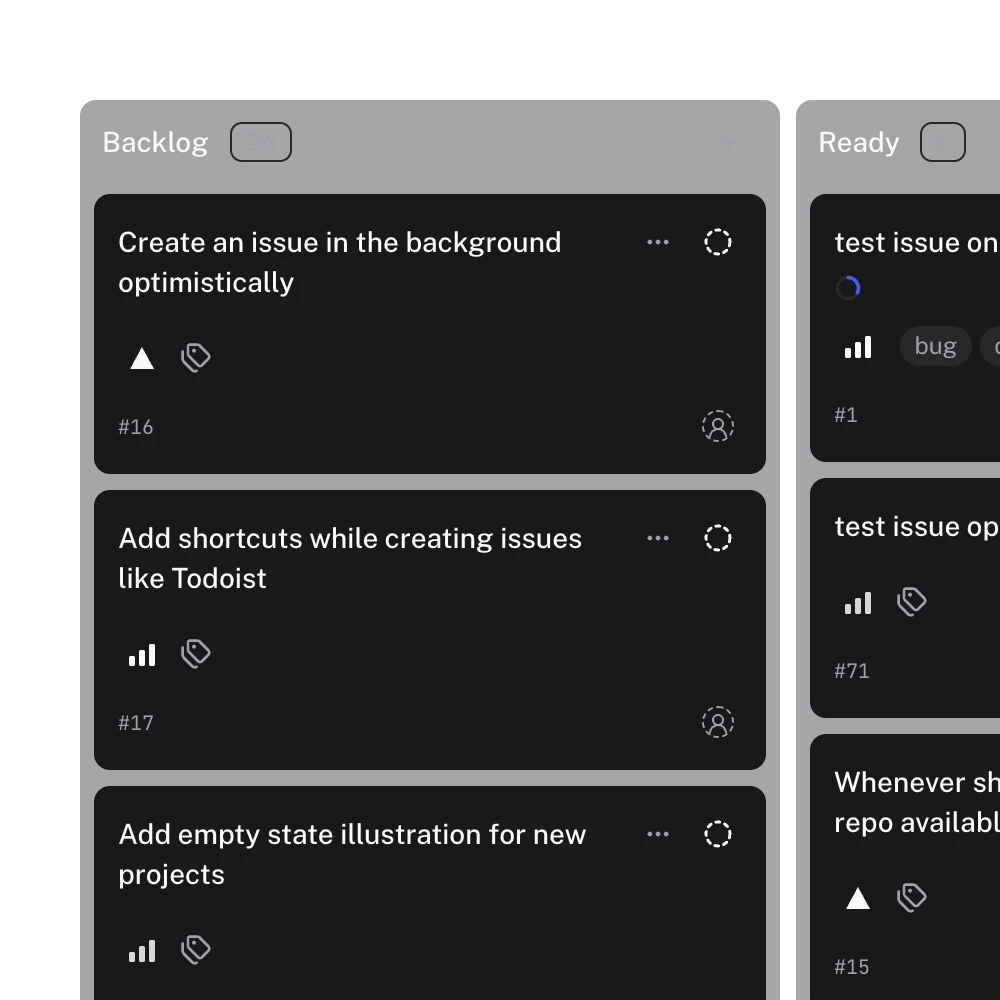
The limits are real. Gitsu shows one project at a time and loads up to 2,000 items per project, and says when it stopped. It supports priorities, estimates, existing iteration fields and a single-project roadmap, but has no automatic sprint rollover, velocity report, burndown chart or epics across projects, and no browser extension; it is a standalone client. The desktop agent surface and MCP server run in the macOS app only. See Gitsu compared with GitHub's Projects UI for the operation-by-operation view.
Which Zenhub alternative should you choose?
Choose by where you want the issues to live, then by the planning features you cannot drop.
- You will move planning out of GitHub and want speed: Linear.
- You need self-hosting or open source: Plane.
- A team of up to 10 wants a free dedicated tracker with iterations: Shortcut.
- You need enforced workflows or non-engineers planning alongside: Jira.
- You need sprint reports and are happy to keep Zenhub: stay on Zenhub, and let one person try Gitsu beside it.
- You want the issues to stay in GitHub with a faster daily client: GitHub Projects with Gitsu. Open one board in the free web app, run a filter you use for triage and try a bulk edit before paying for Seats.
For the tools that sit on GitHub Projects, read the GitHub Projects tools roundup. For what a team of 10 pays across them, read GitHub project management pricing. To try Gitsu, start with getting started with the Gitsu Web App.
How we checked
Each alternative is sorted by where the issues end up, with the Gitsu section written from Gitsu's code and PRD: its 2,000-item loading cap, its one-project-at-a-time rule and the sprint reports it does not have, next to Zenhub's pricing page read on 2026-11-14.
Frequently asked questions
What are the best alternatives to Zenhub?
It depends on whether the issues stay in GitHub. Linear, Plane, Shortcut and Jira keep work in their own store and link to GitHub by integration. GitHub Projects, with Gitsu as a faster client over the same boards, keeps them there. Zenhub's own sprint reports and burndown charts have no equivalent in Gitsu, so a team that needs them should compare Linear's cycles, Shortcut's iterations or Jira's sprints.
How much does Zenhub cost, and what are the free plan limits?
Zenhub Free allows one workspace, up to 50 users, two connected repositories and 250 issues. Teams is $4.99 per user per month billed yearly, or $7.50 monthly, with up to 50 repositories and 5,000 issues, and Enterprise is quoted on request. New accounts get a 14-day Teams trial. Limits were read from its pricing page on 2026-11-14; confirm billing before buying.
Is there a free alternative to Zenhub?
Yes, several. Linear Free lists 250 issues and two teams, Plane Free covers up to 12 users, and Shortcut and Jira Free cover up to 10. GitHub Projects is included on GitHub's Free plan and Gitsu's web app is free on top of it. Each has its own limits, so check the one that matters to your team on the vendor's pricing page.
Does Gitsu have sprints, roadmaps or burndown charts?
Roadmaps, yes; sprints and burndowns, no. Gitsu has a Roadmap layout for one project at a time, drawn from its date or iteration fields. It can assign items to and filter an existing iteration field, but it has no sprint rollover, no velocity and no burndown chart.
Can I use Gitsu and Zenhub on the same repository?
Yes. Both read and write the issues in your GitHub repository, so one person can use Gitsu while the team keeps Zenhub. Gitsu is not a browser extension: it is a macOS app and a Web App at dash.gitsu.app, and it changes nothing inside github.com. Zenhub's own planning data, such as its epics and estimates board, is not something Gitsu reads.
Try it on your own boardsGitsu opens your GitHub Projects boards in the browser. Sign in with GitHub and work on the same issues your team already uses.
Open the web app